
Help center
How to see an ad's ID in Meta and use it in WhatsApp
Where to find an ad's identifier in Meta's Ads Manager (Facebook and Instagram) and how to use it to treat people who come from your WhatsApp campaign differently.

Treat people who come from your ad differently
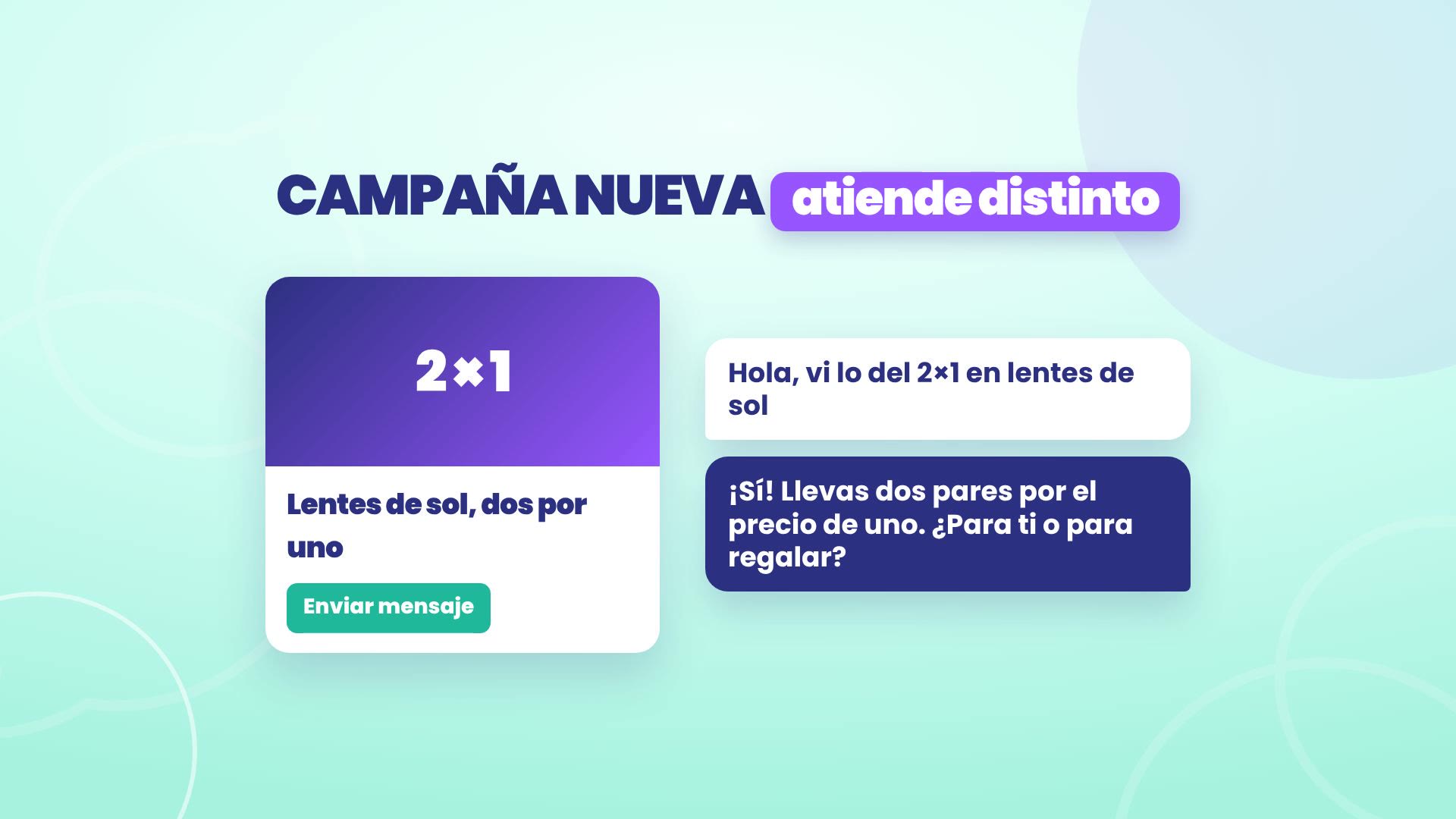
You launch a new campaign on Meta, with a click to WhatsApp ad, and you want whoever comes from that ad to get the promotion from the first message. In TBit that's a mode with the Came from this ad rule.
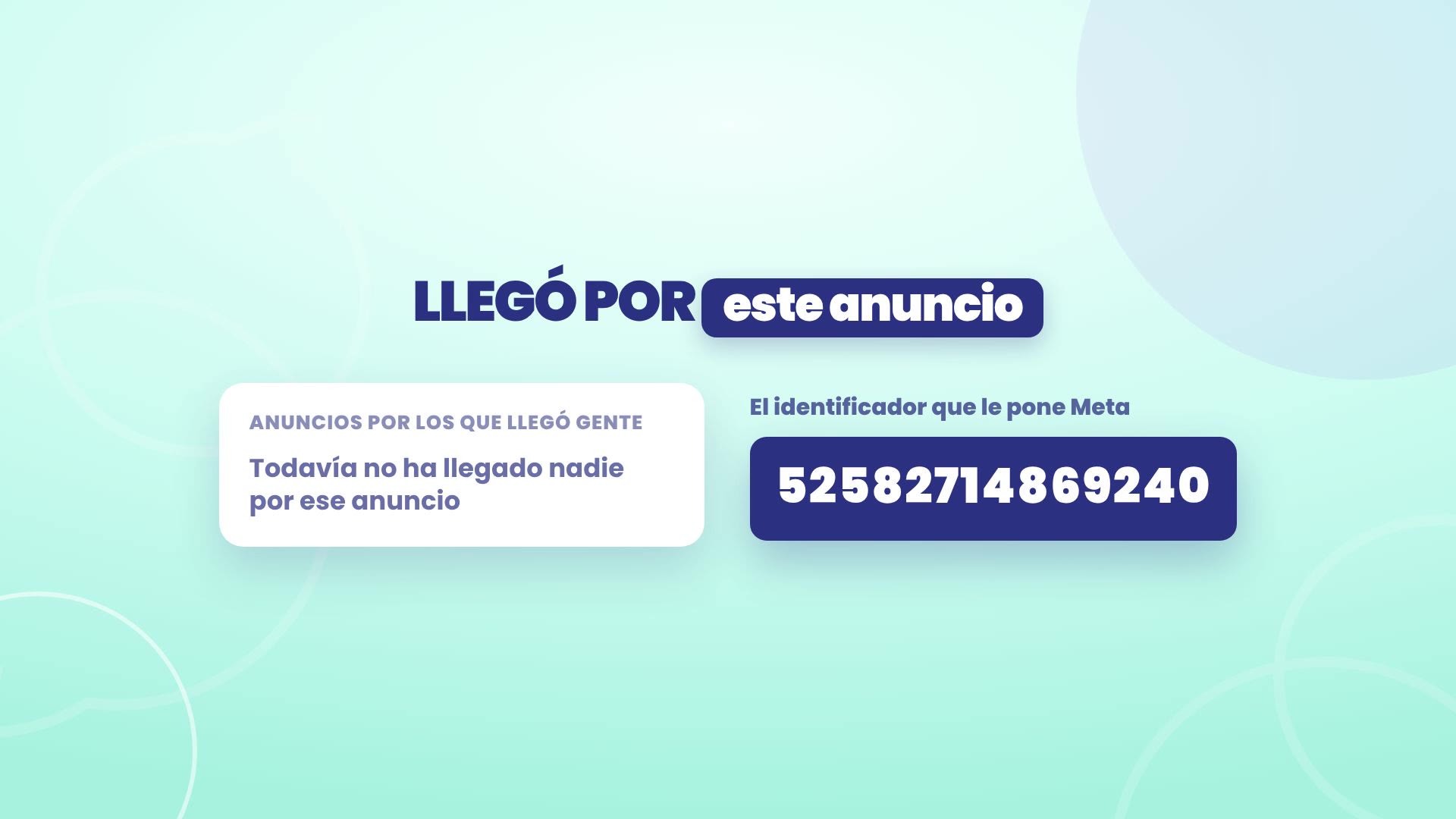
Before the first conversation, TBit doesn't know that ad yet, so you give it its number: the ad identifier (the ID) that Meta assigns to it. In this guide you'll see where that number is in Meta's Ads Manager, for Facebook and Instagram ads, and how to paste it into your mode.
Take a look in three minutes
The full walkthrough, with the real Meta and TBit screens. Below you have each step in writing.
The example: an optical shop in Quito
We follow Óptica Mirador, in La Floresta, Quito. Valeria, the owner, launches a 2-for-1 sunglasses promotion and wants anyone who comes from that ad to get it right away. The ad account shown in the screenshots is TBit's, with the amounts blurred; the optical shop is a demo account with sample data.
1. Where the ad ID is in Meta
Go to Meta Ads Manager and open the Ads tab. The number you need is the one for each ad, not the campaign or the ad set.
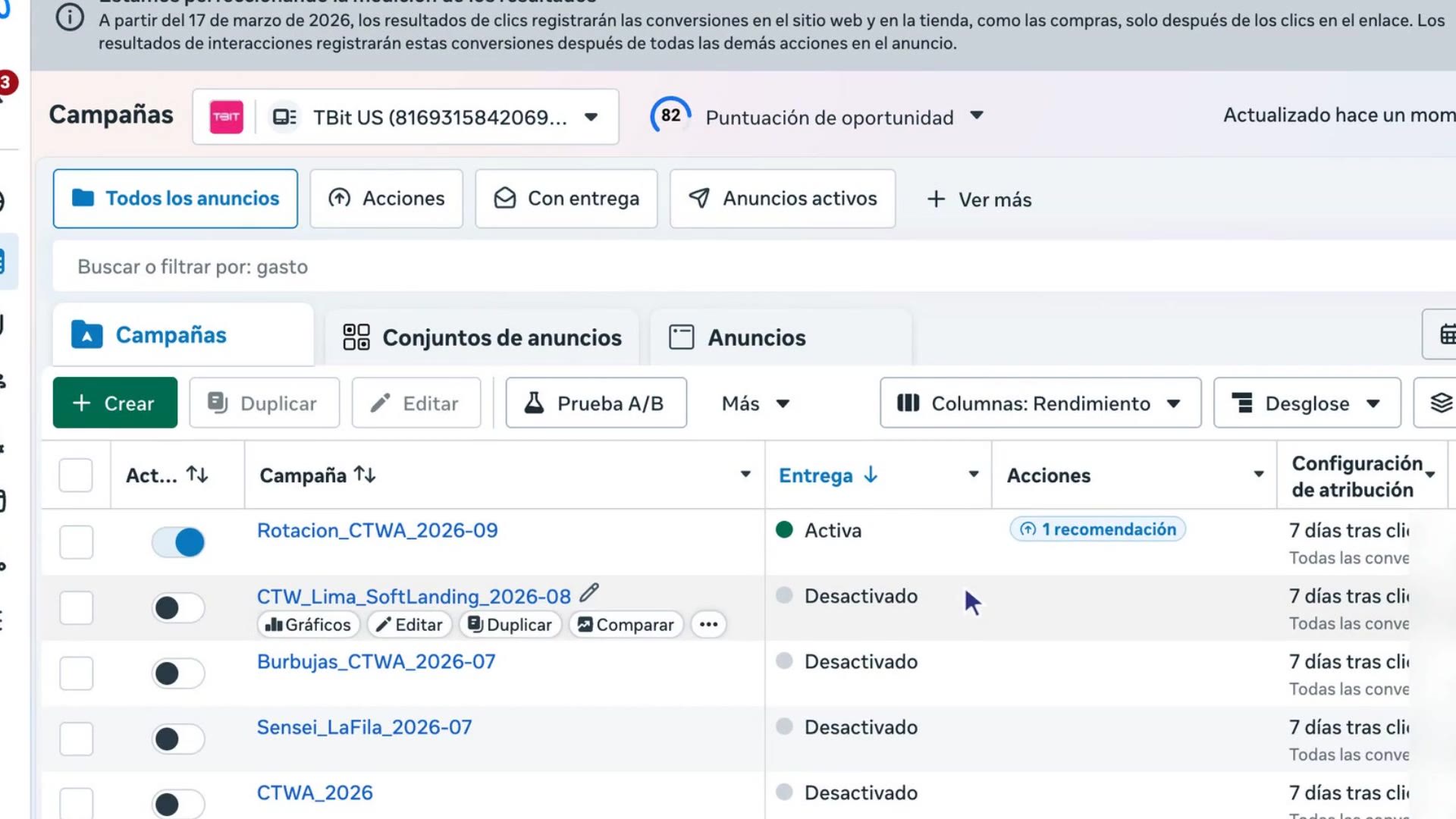
Go to the end of the table, on the right, and tap the ⊕ button. Suggested columns opens; there tap Customize columns.... You can also get there from the Columns button at the top, in Customize columns.
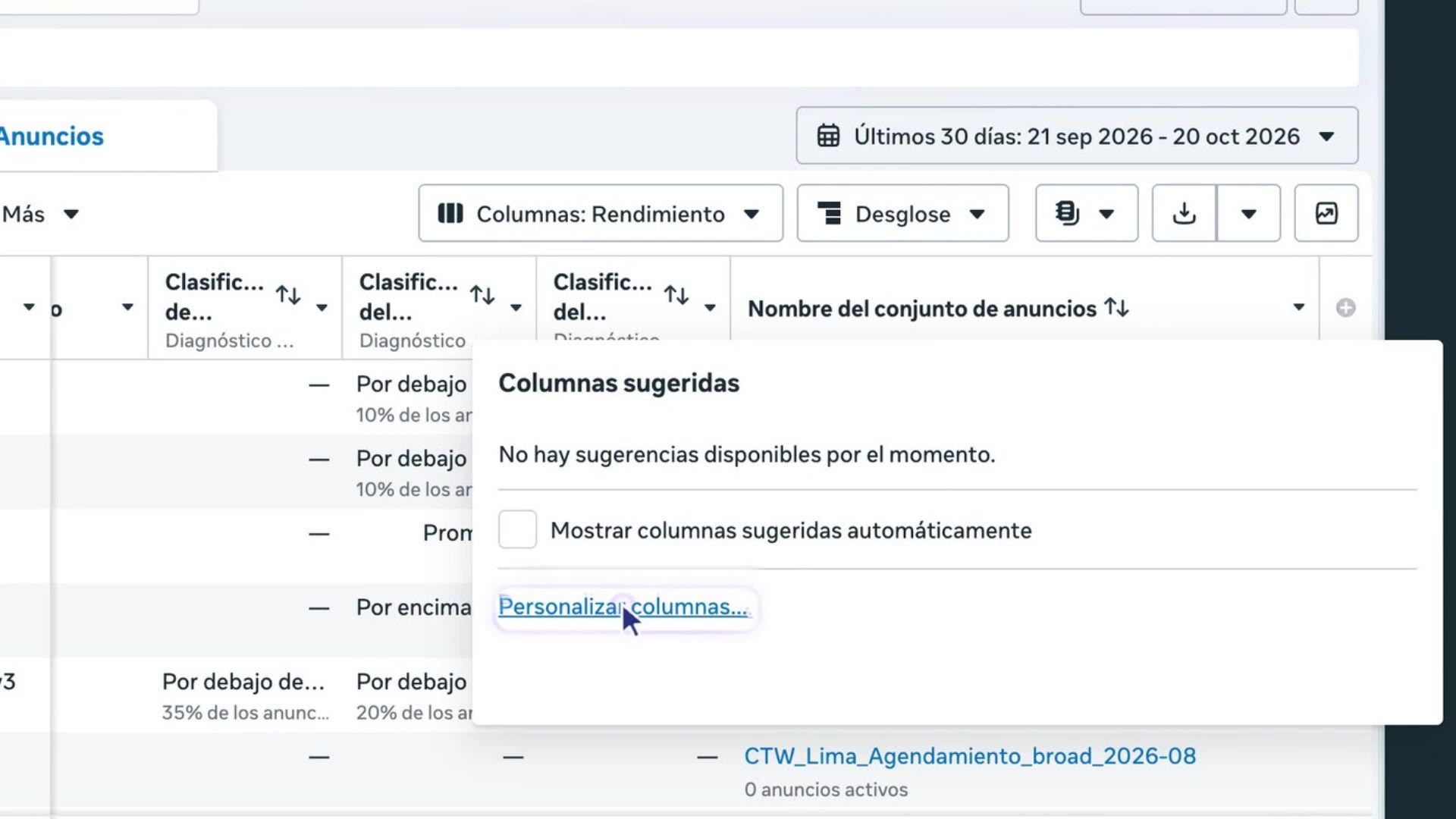
In the search box type identifier and check Ad identifier. Then tap Save.
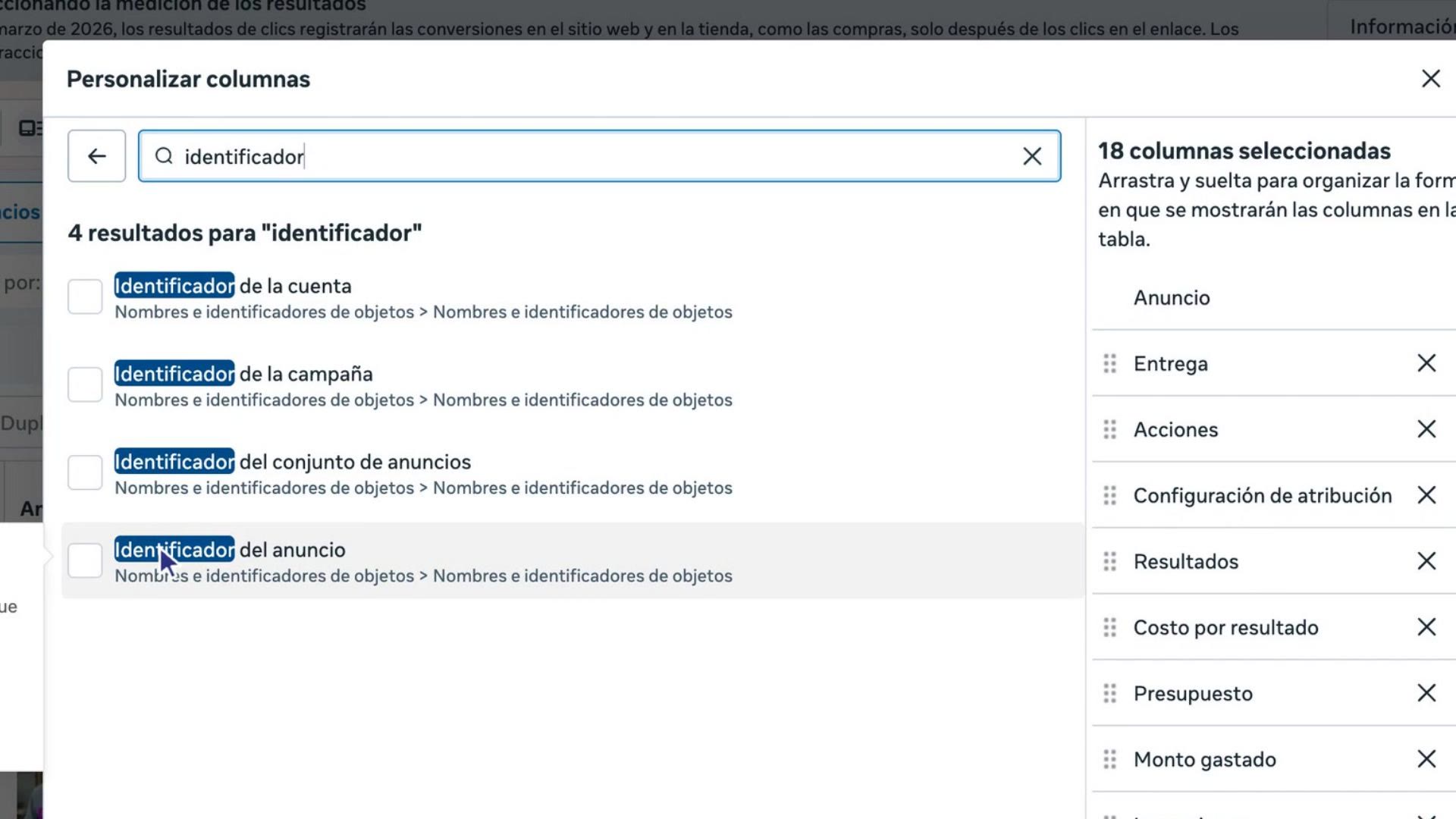
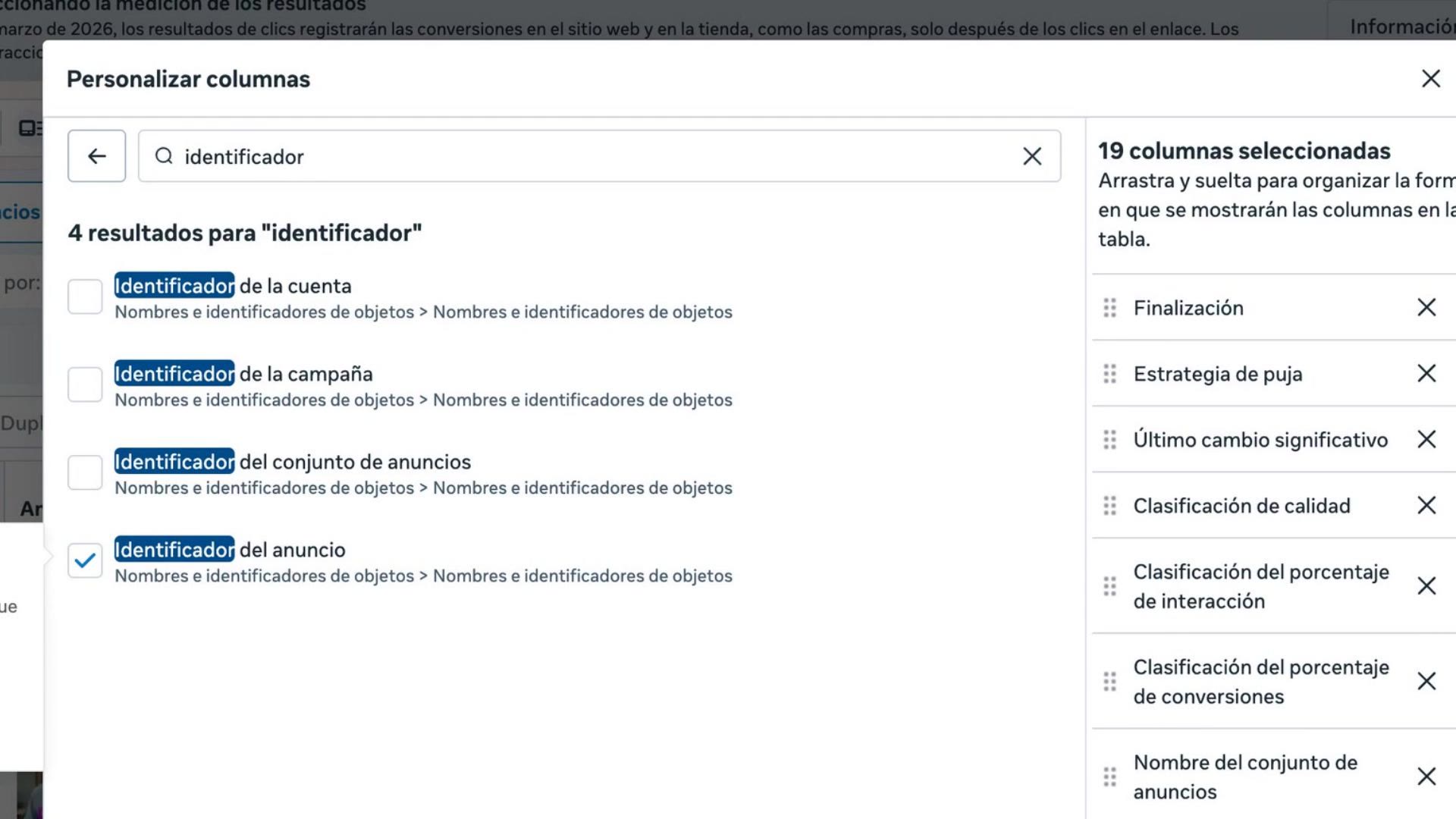
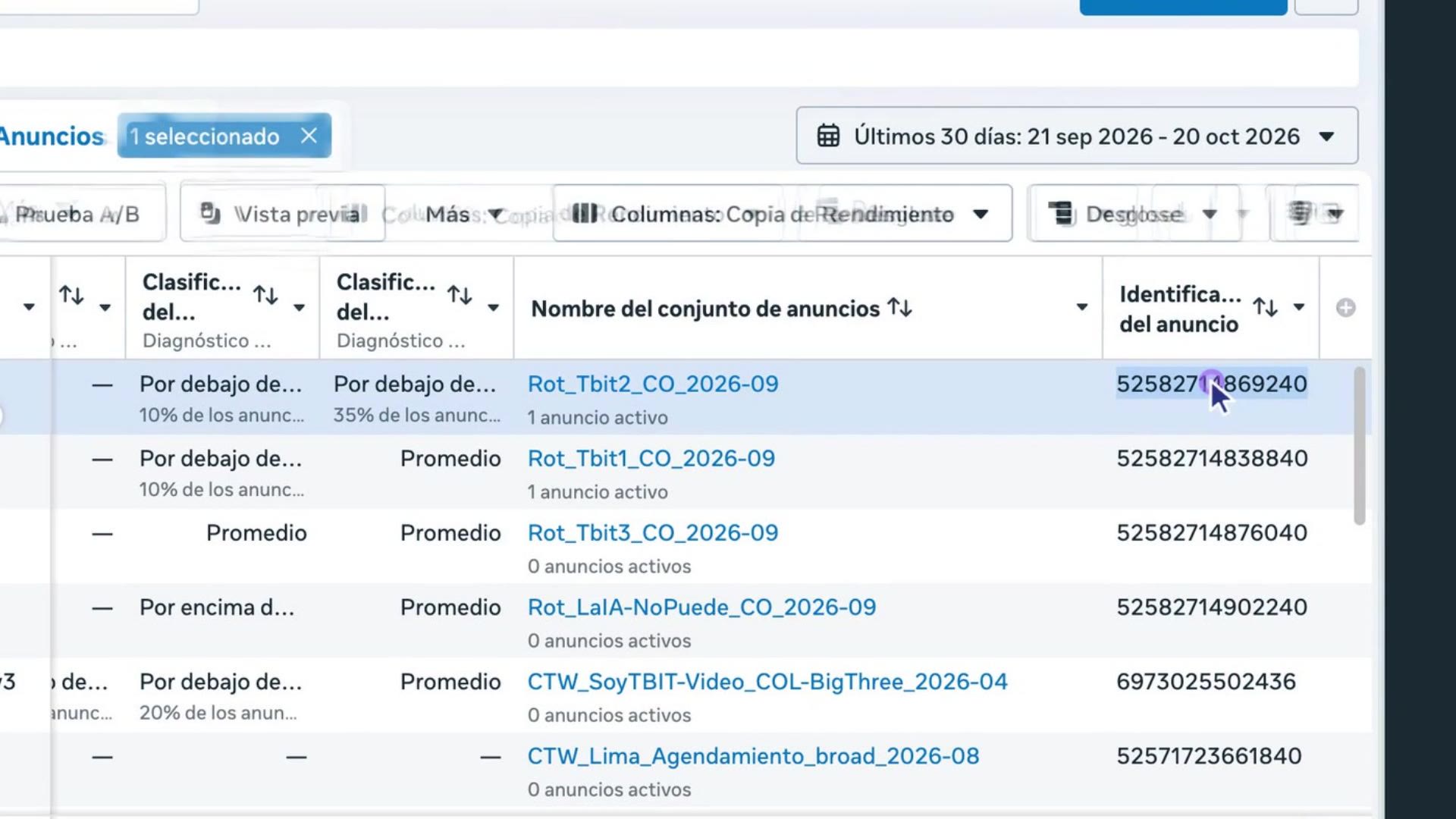
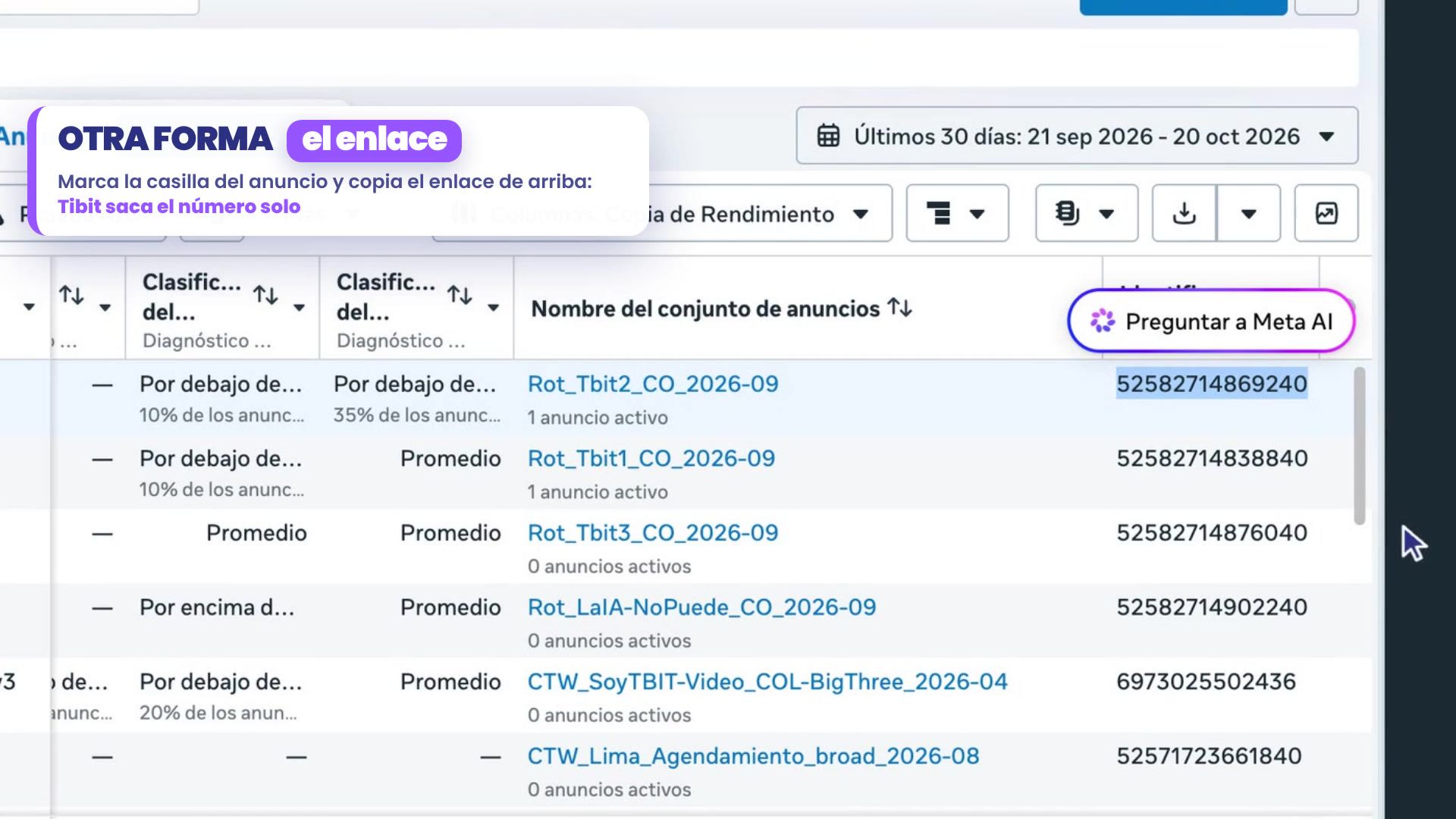
The new column appears at the end of the table. There's each ad's number: double-click it and copy it.
2. Paste it into your mode
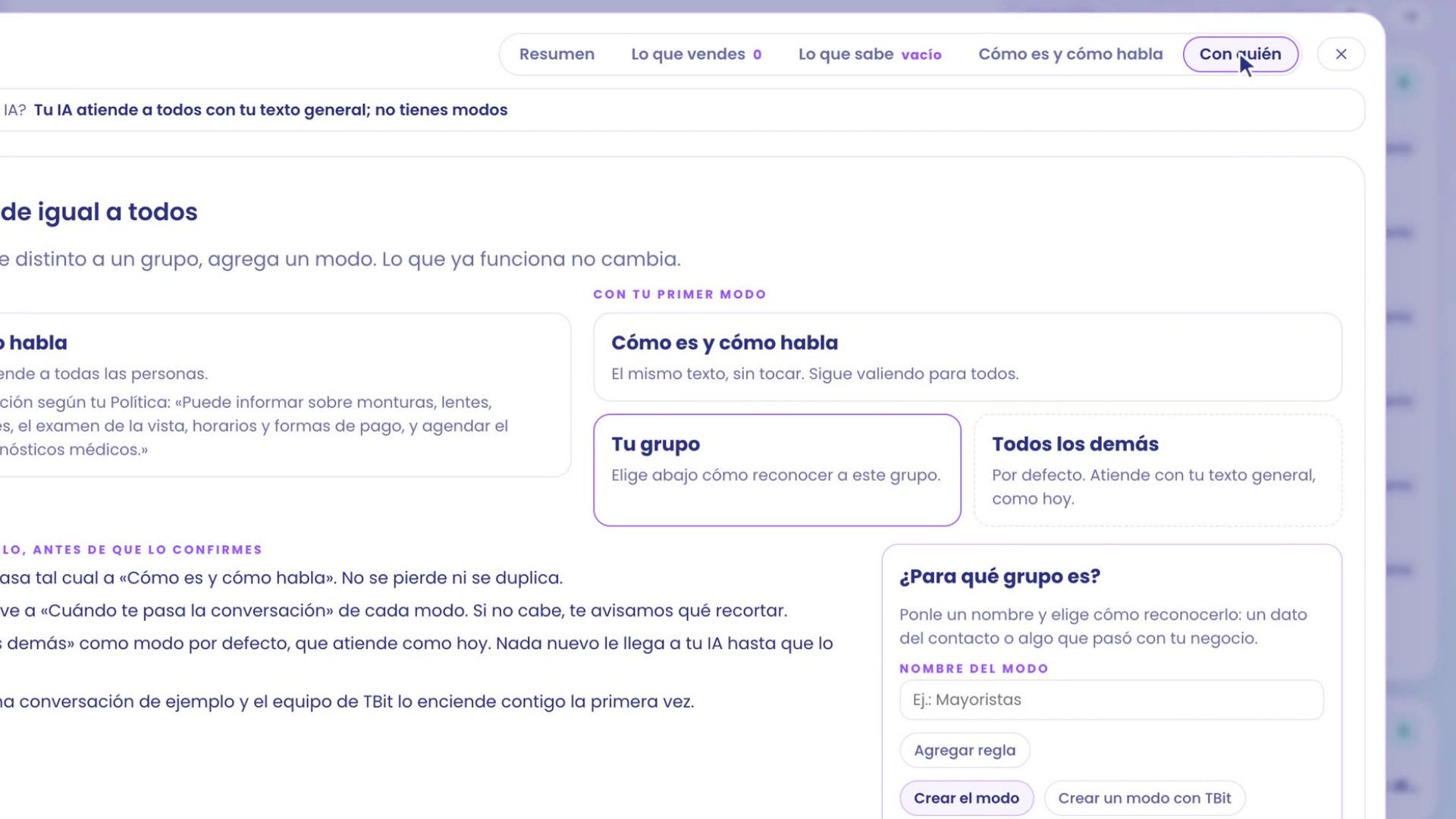
In TBit, go to Your AI › Who. If you don't have modes yet, create the first one right there in Who is this group for?: give it a name, like 2x1 Sunglasses.
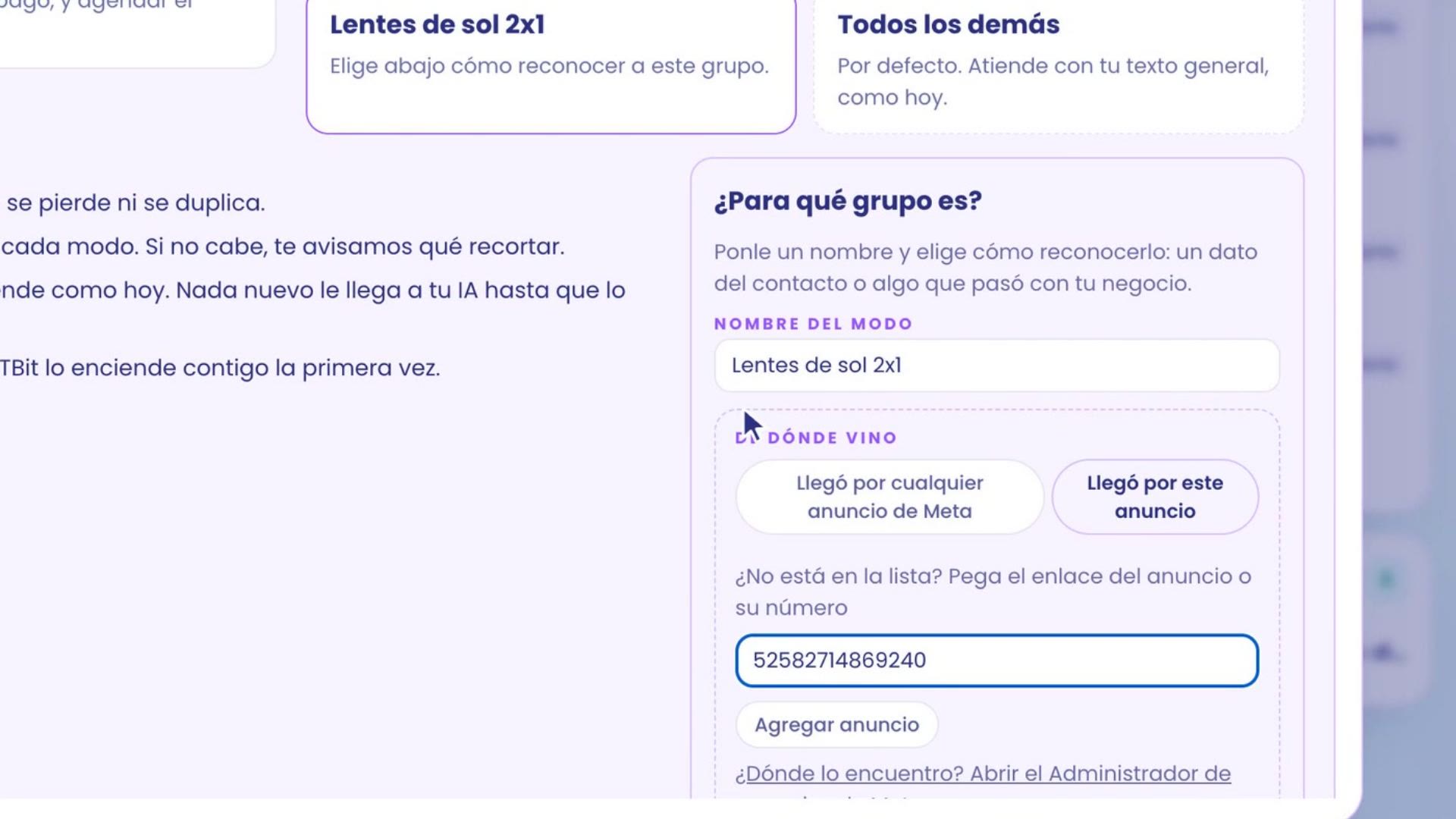
Tap Add rule › Where they came from and choose Came from this ad. Since nobody has come from that ad yet, it isn't in the list: paste the number (or the ad's link) into Not in the list? Paste the ad's link or its number and tap Add ad.
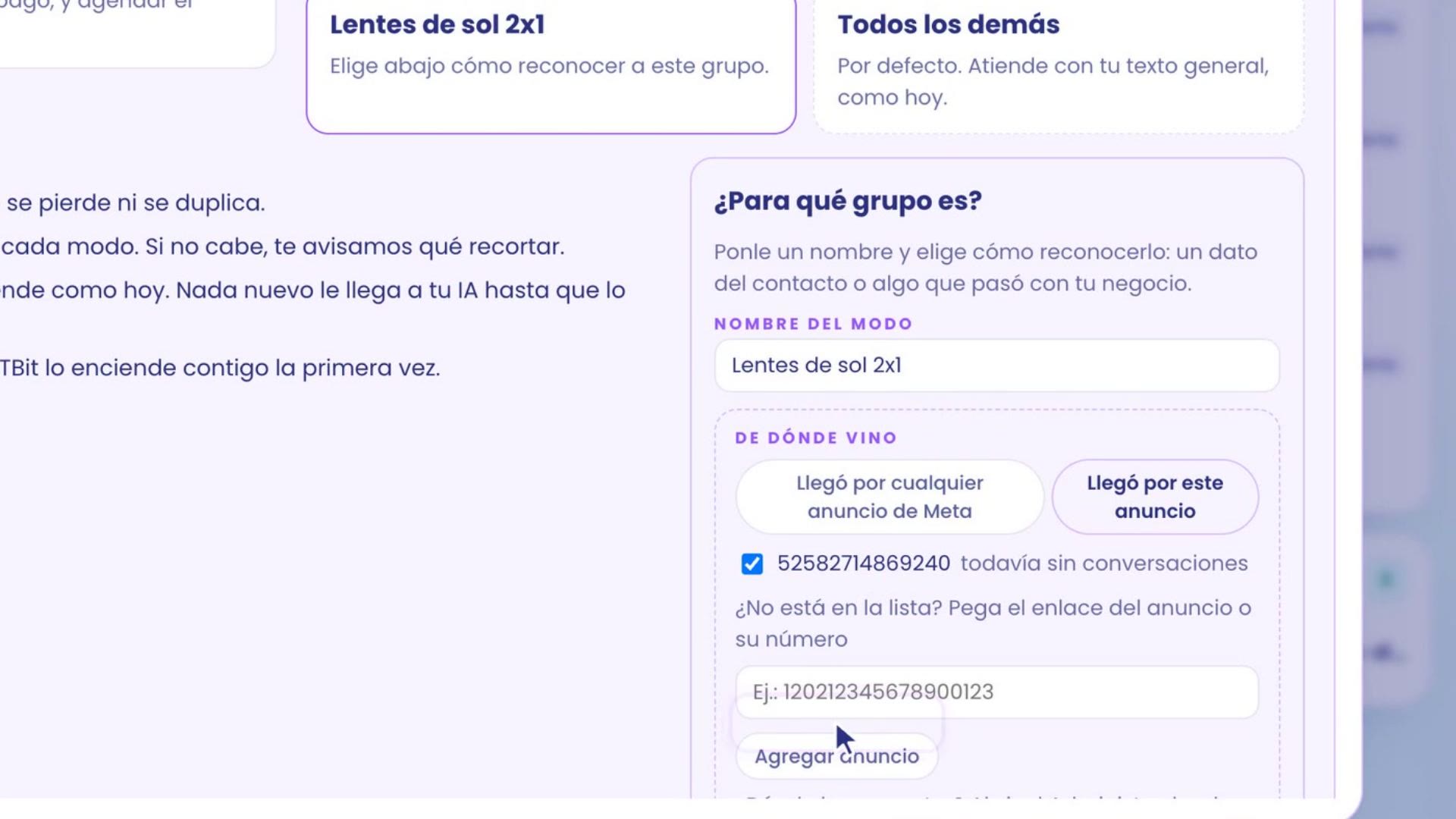
The ad is now checked, with no conversations yet. When the first one arrives, the list shows you how many it brought.
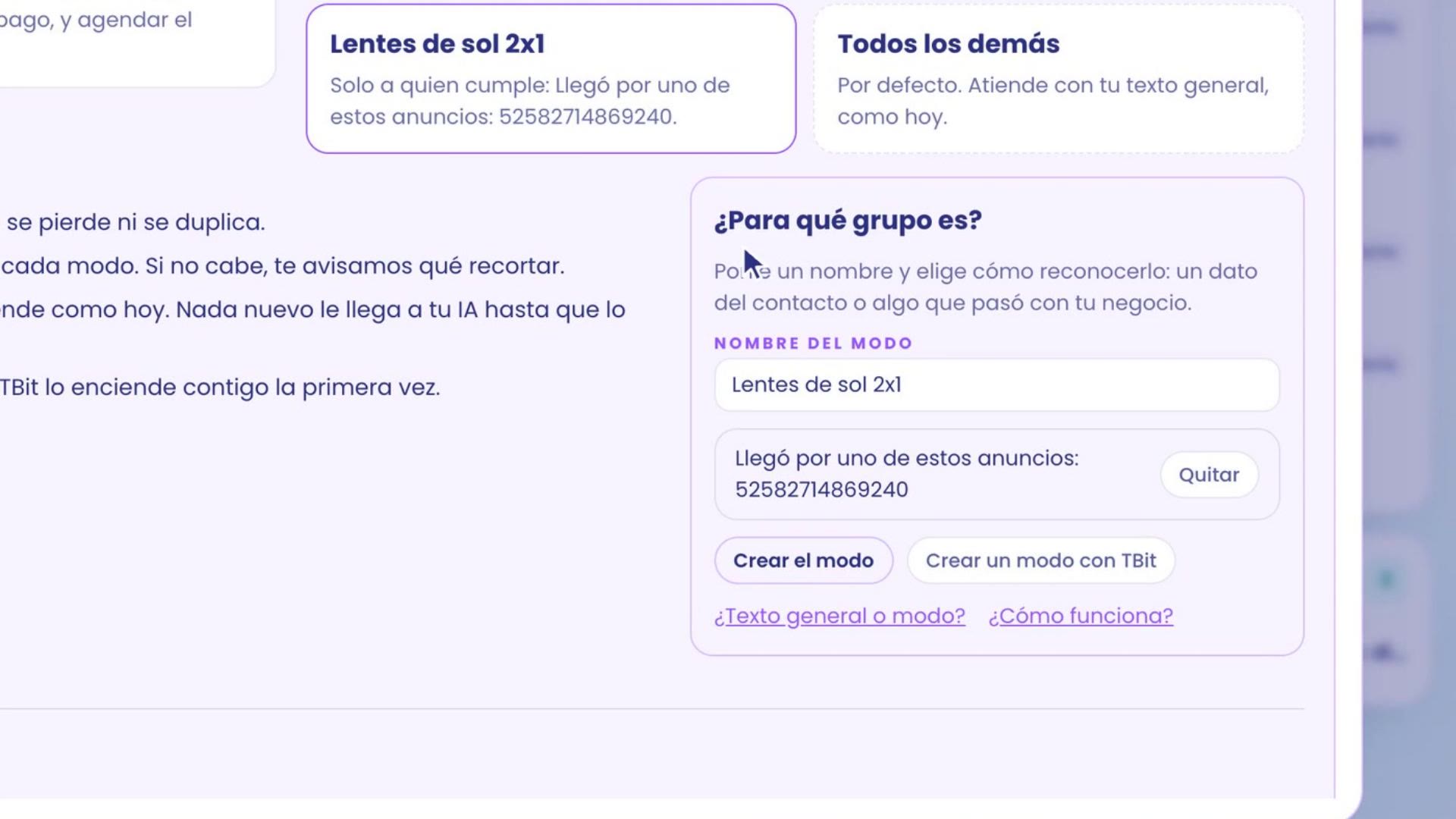
Tap Add and TBit shows you the rule in words: Only to those who meet: Came from one of these ads. With Create the mode you write how it treats that group. When you publish it, from the first person who taps your ad, your assistant treats them with the promotion.
Three tips
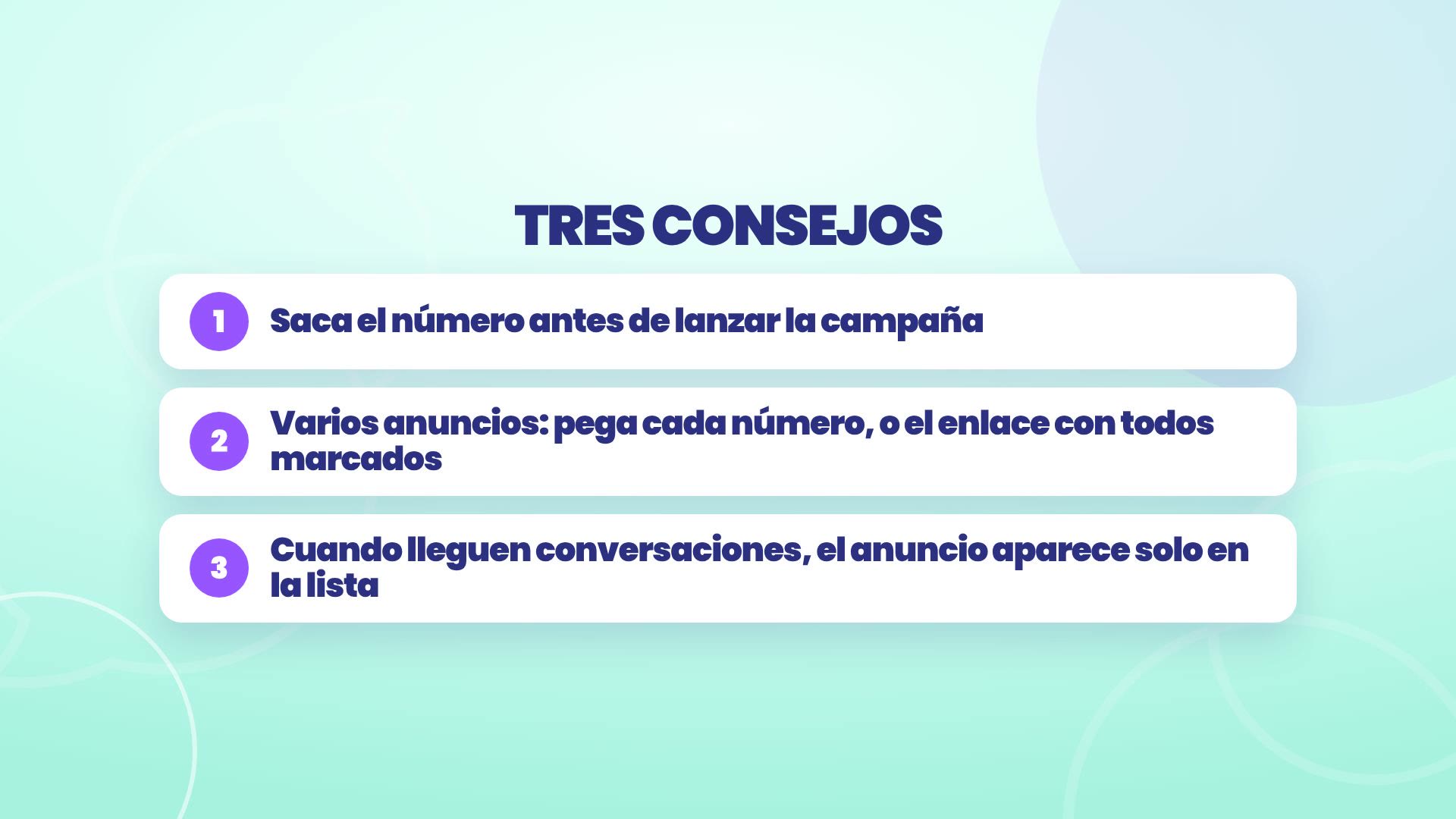
Get the number before launching the campaign, so the mode treats people from the very first message.
If there are several ads, paste each number, or the link with all of them checked in Meta's table.
When conversations come in, the ad shows up on its own in the list, and it shows you how many people it brought.
Where everything is
The ad ID: Meta Ads Manager › Ads › Ad ID column.
The rule in TBit: Your AI › Who it's with › Add rule › Where it came from › Came from this ad.
When your assistant hands the conversation over to you: escalation and funnel.
Your campaign starts, and your assistant already knows who it's serving.