
Help center
How to create tags in TBit | TBit
Learn how to create custom tags in TBit to categorize customers automatically. The AI identifies and tags leads based on their answers.

How to create Tags
Tags are very well known in the WhatsApp Business world, precisely for labeling the type of customer or the stage we're at with that lead. This process is done automatically by the AI, since it identifies which category a customer can be tagged under based on their answers. If you want, it can also be done manually, and this wouldn't change the process the AI manages, it simply complements it.
Instructions to create your own tags
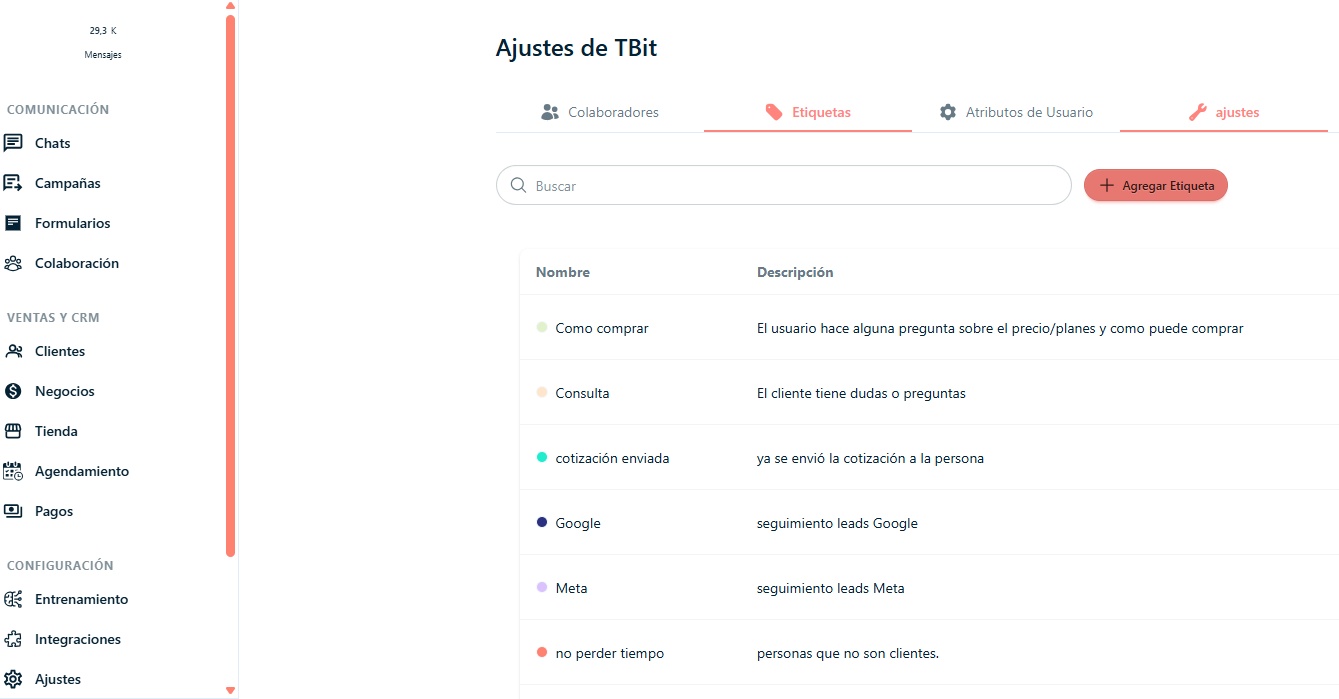
Step 1: Click on the left side of the screen where it says "Settings".
Step 2: Click in the center where it says "Tags".
Step 3: Click on "Add Tag".
Step 4: Once the "Add tag" window opens, you'll assign a name, description and action. In Action you can select: "no action" or "redirect and notify".
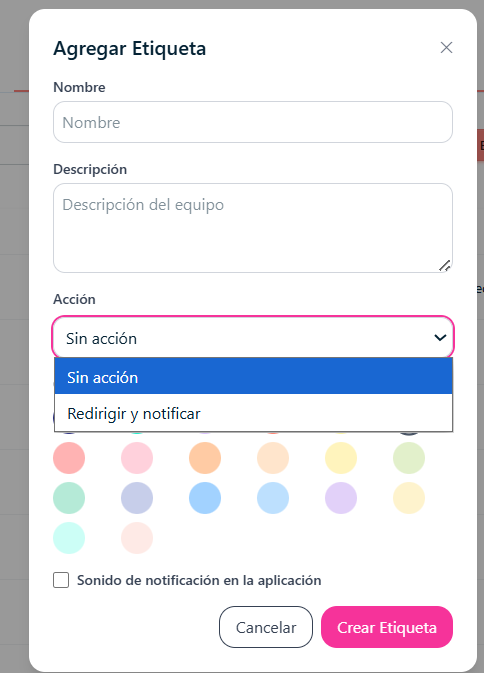
Step 5: If you want the action of tagging a chat to have a sound, you can click on the option "Notification sound in the app".
Step 6: Click on "Create tag" to finish the process.
Step 7: If you want to edit or delete the tag you created, click on the three dots below "Actions". There you'll find the options: Edit or Delete.