Help center
How to add collaborators in TBit | TBit
Add collaborators to your TBit account so your team can manage chats and serve customers from the platform.

How to create Collaborators
Add members of your team so they can manage chats and serve customers from the TBit platform.
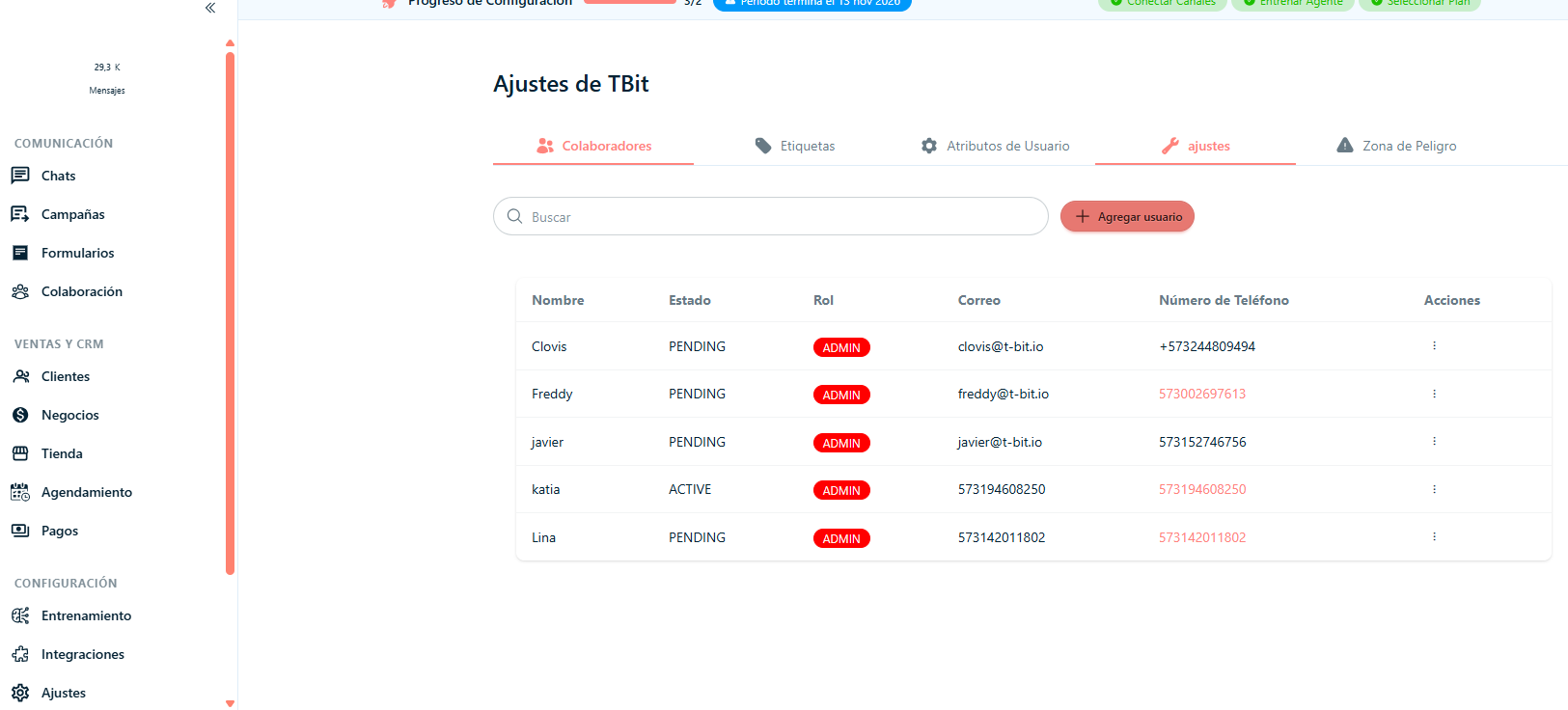
Step 1: Click on the left side of the screen where it says "Settings".
Step 2: Click in the center where it says "Collaborators".
Step 3: Click on "Add User".
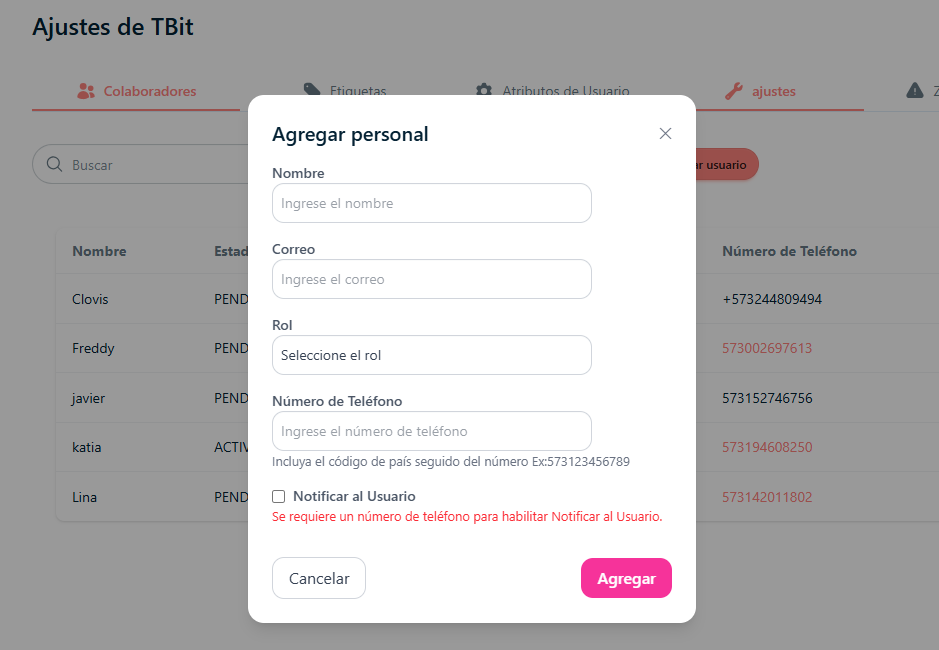
Step 4: Add: Name, Email, Role, Phone number (important that it includes the country area code).
Step 5: Once the form is filled out, click on "Add" to finish the process.
Step 6: If you want to view, edit or delete the collaborator you added, click on the three dots located under "Actions". There you'll find the options: View, Edit or Delete.