Help center
How to create custom User Attributes in TBit | TBit
Set up custom user attributes in TBit so the AI gathers information on its own from your chats with customers.
How to create custom User Attributes
User Attributes are a benefit that the TBit platform offers. When you install our service, you can create a format where the AI will gather information from the chat that helps you know what your customer wants and where they come from in just a few simple steps.
Overview
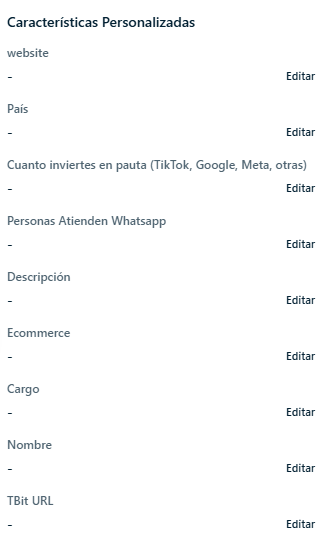
You'll find the overview on the right side of the screen. Keep in mind that the information varies depending on your company's own needs.
Steps to create an attribute
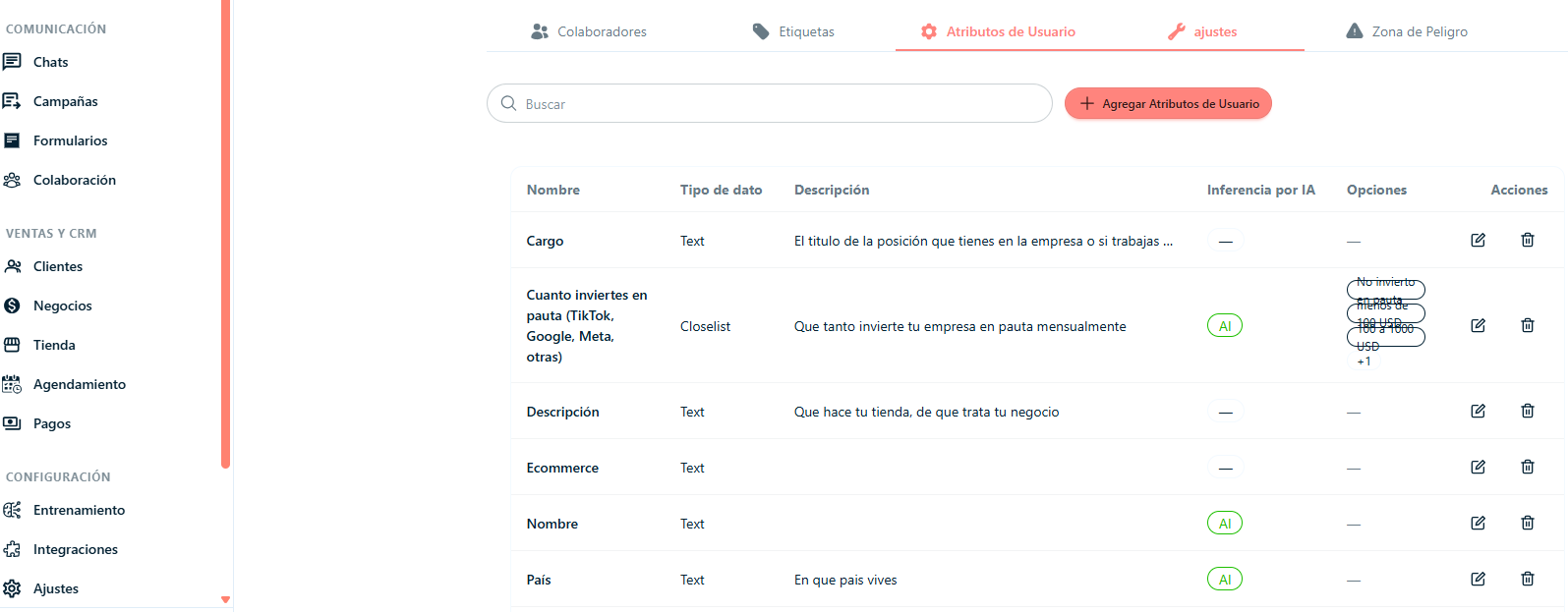
Step 1: Click on the left side of the screen where it says "Settings".
Step 2: Click in the center where it says "User Attributes".
Step 3: Click "Add User Attributes".
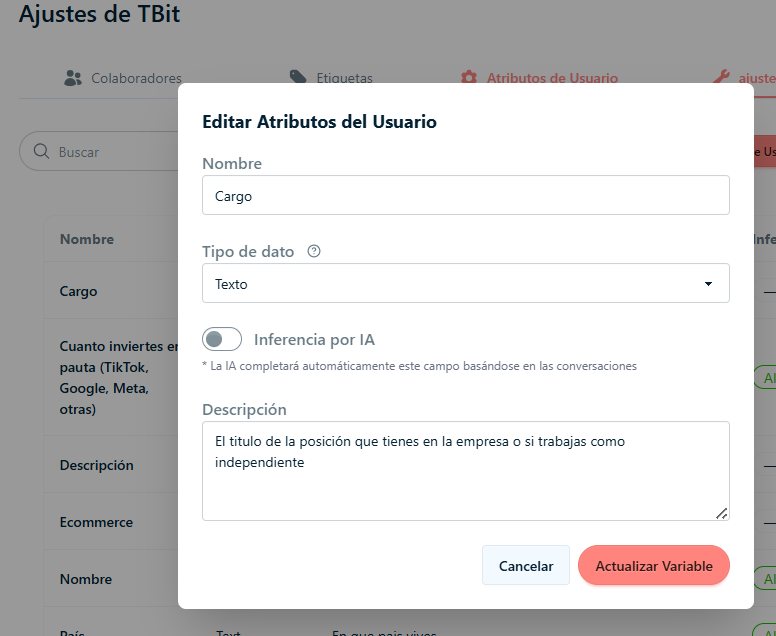
Step 4: Once you've clicked, a window will appear and you need to fill it in based on the information required for the chat management process.
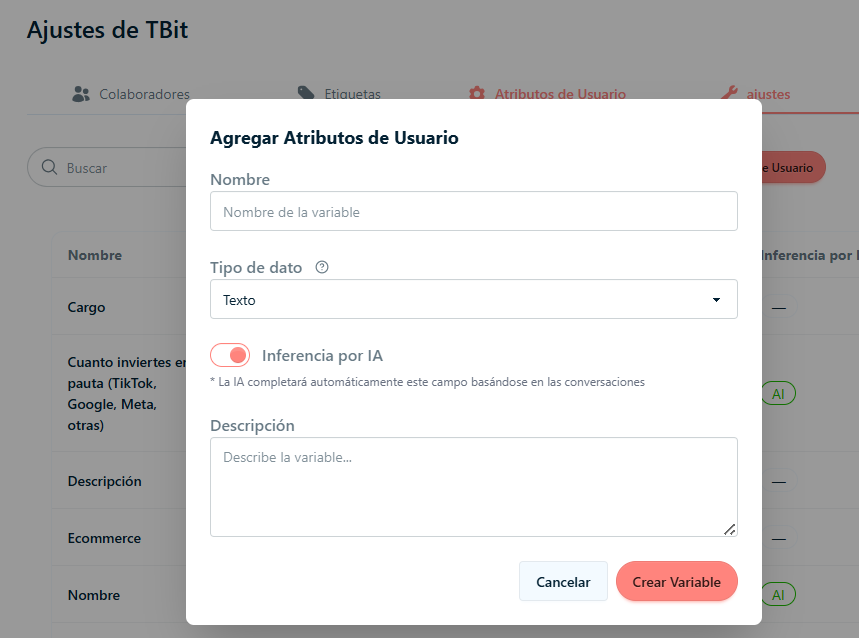
Step 5: Finish by clicking "Create Variable".
Step 6: Repeat the previous steps until you complete the list of required information.
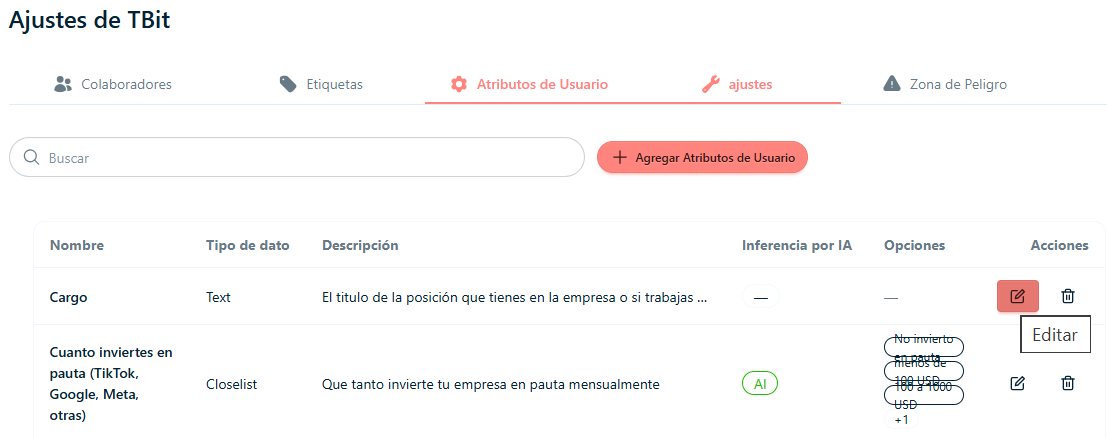
Step 7: If you want to change an attribute, click the pencil icon. This opens the previous window, but this time it will already be filled in and ready to be changed.
Step 8: Click "Update Variable" to finish the process of editing the Attribute.