
Help center
Customer CRM in TBit
Each customer's profile in TBit: history, data, attributes and how the agent uses them so you never ask the same thing twice.
It's the centralized directory where the history, contact data and preferences of every person who interacts with your business are stored. The list fills itself.
Go to Sales and CRM → Customers. The first time you'll see "No customers found": that's normal. Every time someone writes to you on WhatsApp, fills out a form or interacts with a campaign, the system creates their profile automatically.
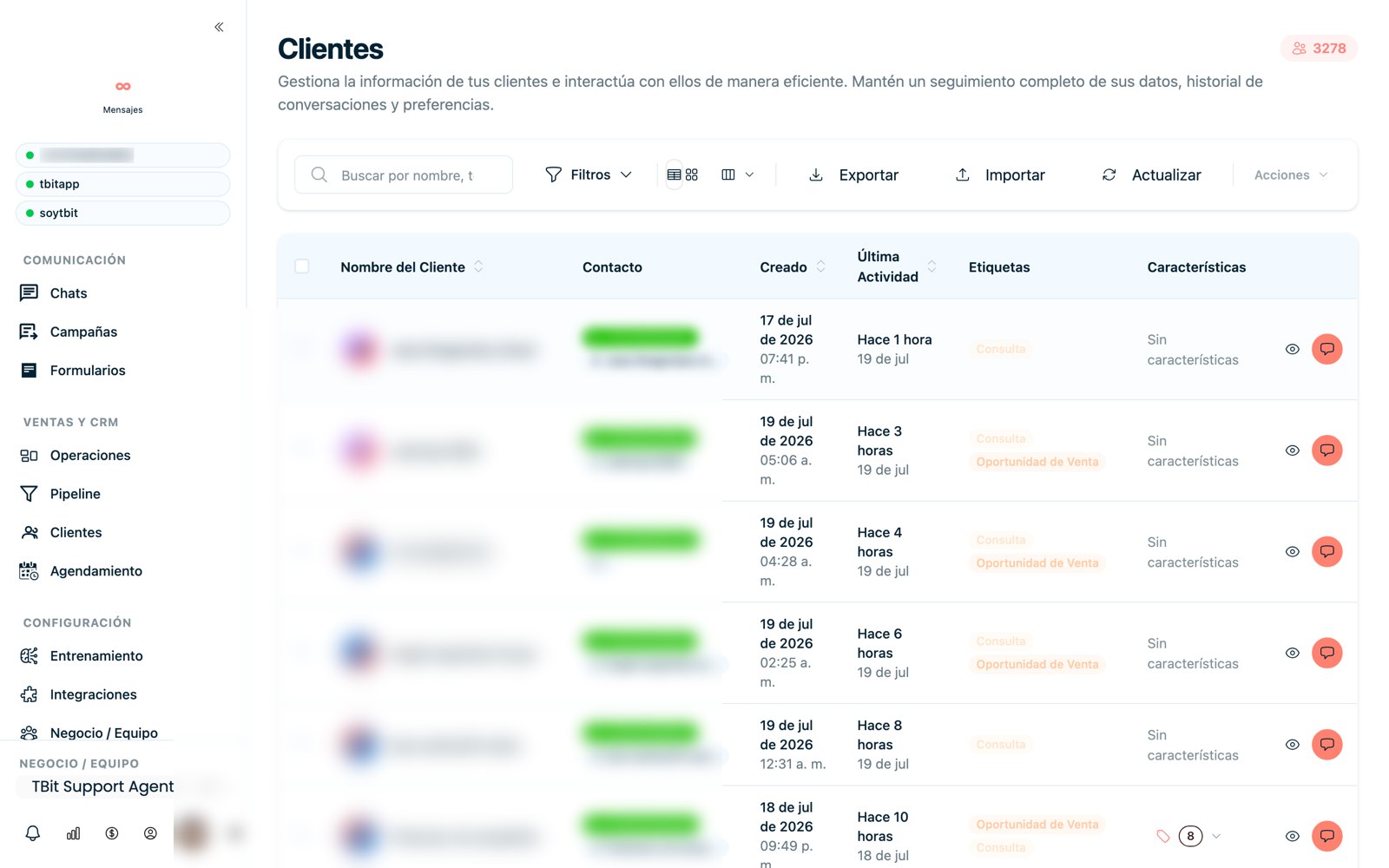
Customer directory with their profile (personal data blurred for privacy).
Advanced filters
Status: All, Active (talking now) or Inactive.
Date range: filter by entry period (ideal for measuring campaigns).
Custom attributes: segment by the variables the AI extracted (city, interest, budget). It allows hyper-specific cross searches.
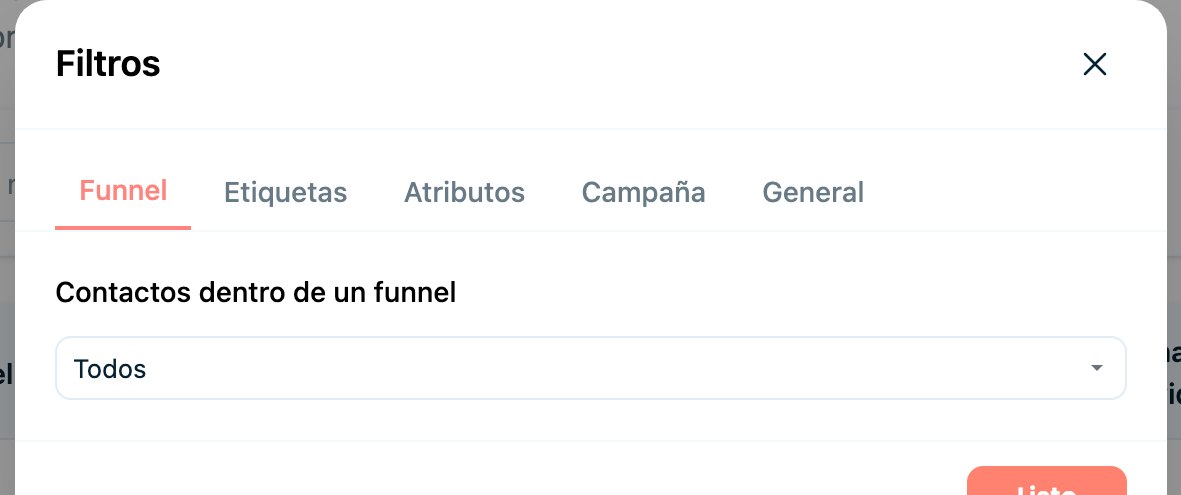
Filter menu to segment your base (funnel, tags, attributes, campaign).
Where each customer comes from (attribution)
Knowing the origin of a contact helps you measure which channel brings sales. TBit detects it like this:
Meta (Facebook/Instagram Ads): when someone arrives from an ad, Meta sends metadata "underneath" with the source. That's why the attribution is accurate: next to the chat you'll see which ad brought the person, including the creative (the ad image) and the date it was attributed.
Other sources (TikTok, Google, organic): they're inferred from the first message (for example, pre-filled text like "Hi, I come from TikTok"). If the customer deletes that first message and writes something else, the trail is lost and the contact stays as unknown source.