
Help center
Training and memories for your agent
How to train your agent in TBit: instructions, memories, and the difference between what it always knows and what it learns from each customer.

Training is the key instruction that guides your assistant through your sales or service process. Here you define how it thinks, how it responds, and where it pulls information from.
Watch the video: TBit Learning, How to train your TBit
The Prompt
Go to Settings → Training → Prompt → Edit. You'll see a description of your business that the AI loaded automatically when your TBit was created. The prompt isn't a chat message: it's the set of instructions that program the AI's "brain." To build it, define:
Personality and limits: the assistant's tone of voice and the scope of its functions.
Step-by-step sales guide: the exact flow it should follow in the interaction.
Golden rules: the guidelines it must always respect.
Restrictions: what it must not do or say under any circumstance.
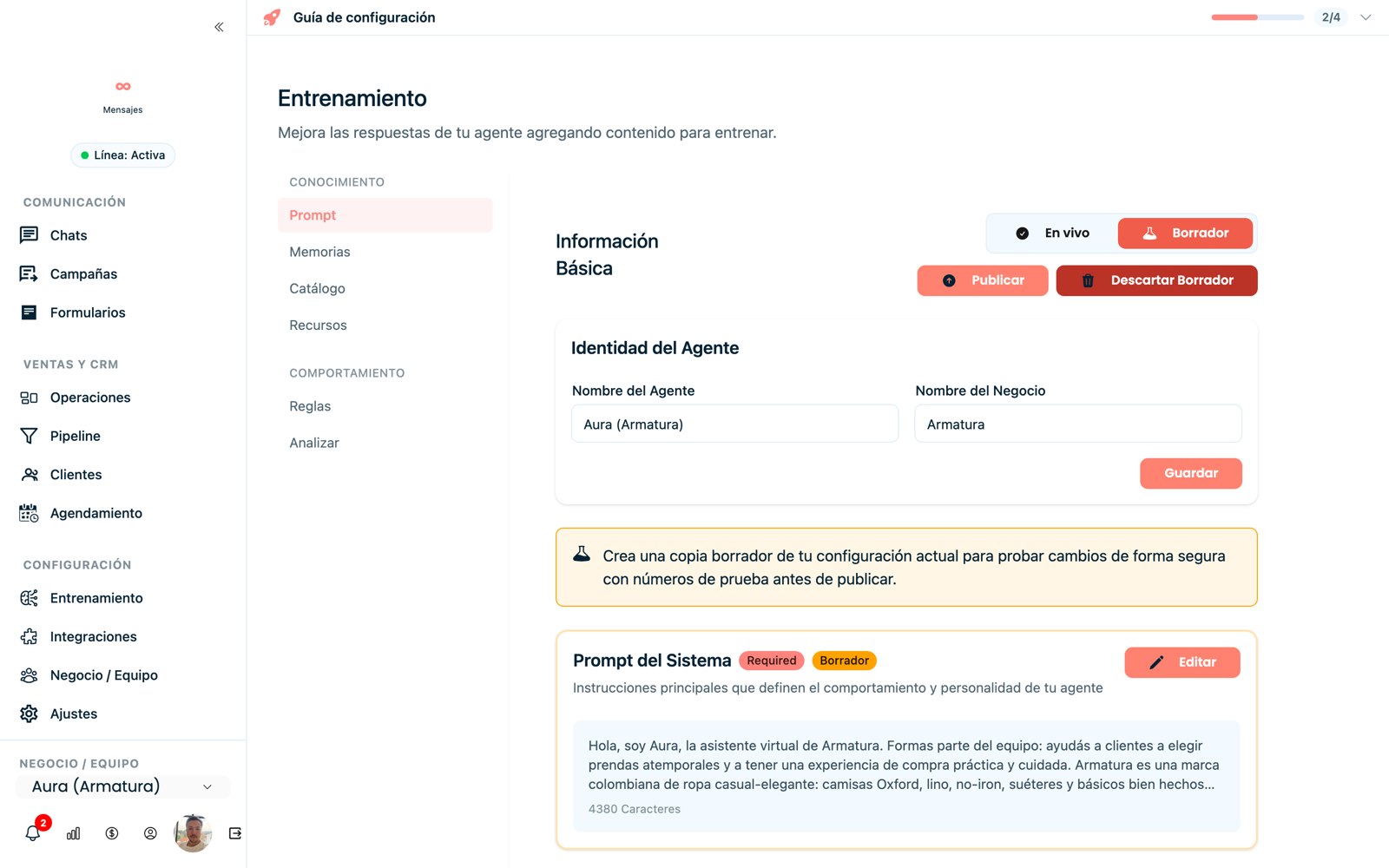
The Prompt editor: your assistant's operating brain.
Advanced settings
Inside the prompt, in Advanced Settings → Edit, you define two pillars of its behavior:
Resolution Policy: how it reacts, what limits it has, and when it hands off to a human. E.g.: "If the customer asks for a refund, tell them you'll review the case, don't promise the refund, and transfer the chat to Support."
Response Style: tone, length, and formality. E.g.: "Professional but friendly tone, no jargon, paragraphs of no more than three lines. If the customer writes in all caps or seems upset, prioritize empathy."
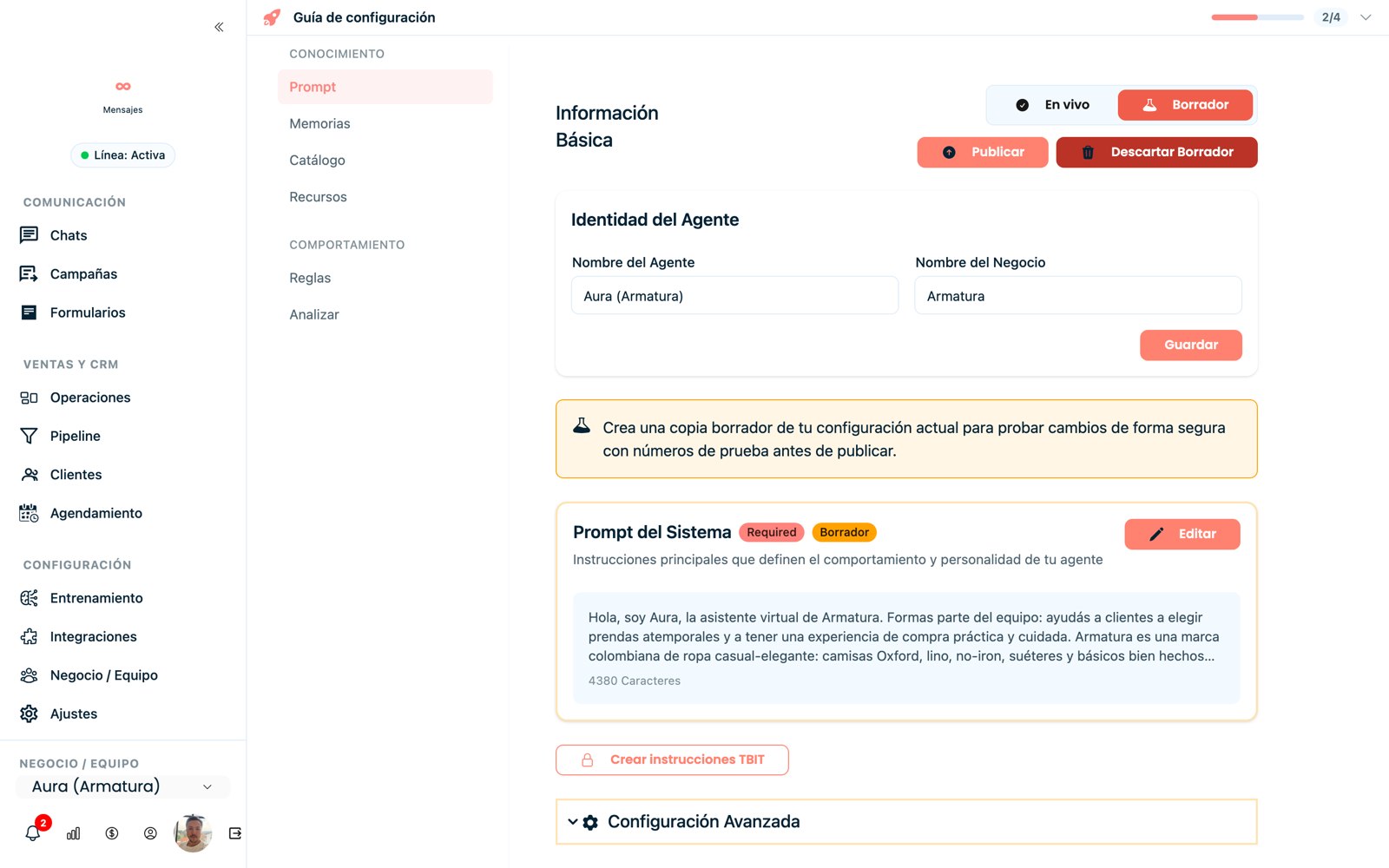
The Prompt editor with draft/publish and Advanced Settings.
Memories
Memories are your assistant's brain and knowledge base: the one place it pulls information from to answer. It includes FAQs, services, prices, hours, or shipping policies.
Golden rule
For the assistant to check this base, explicitly include the instruction "Use your memories" inside the main prompt. Gather your FAQs, product PDFs, hours, and shipping or return policies.
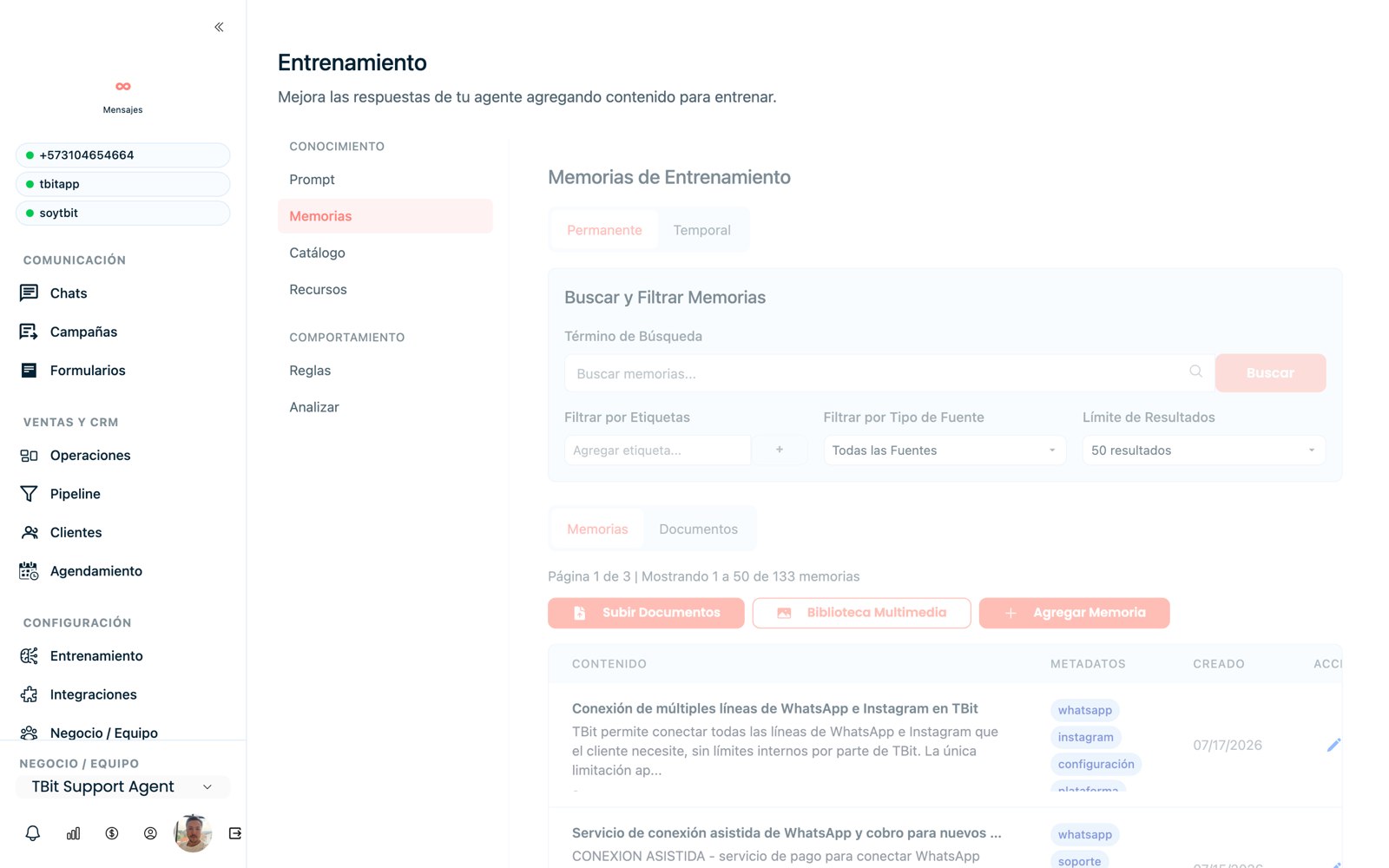
Training memories: the agent's knowledge base.
Analyze
The Analyze section reviews all the information you've uploaded and gives you improvement tips so your TBit answers better. Take them as a guide: the analysis suggests, but you know your business. If something you know matters (hours, a policy) doesn't show up in the prompt, add it even if the analysis doesn't ask for it.
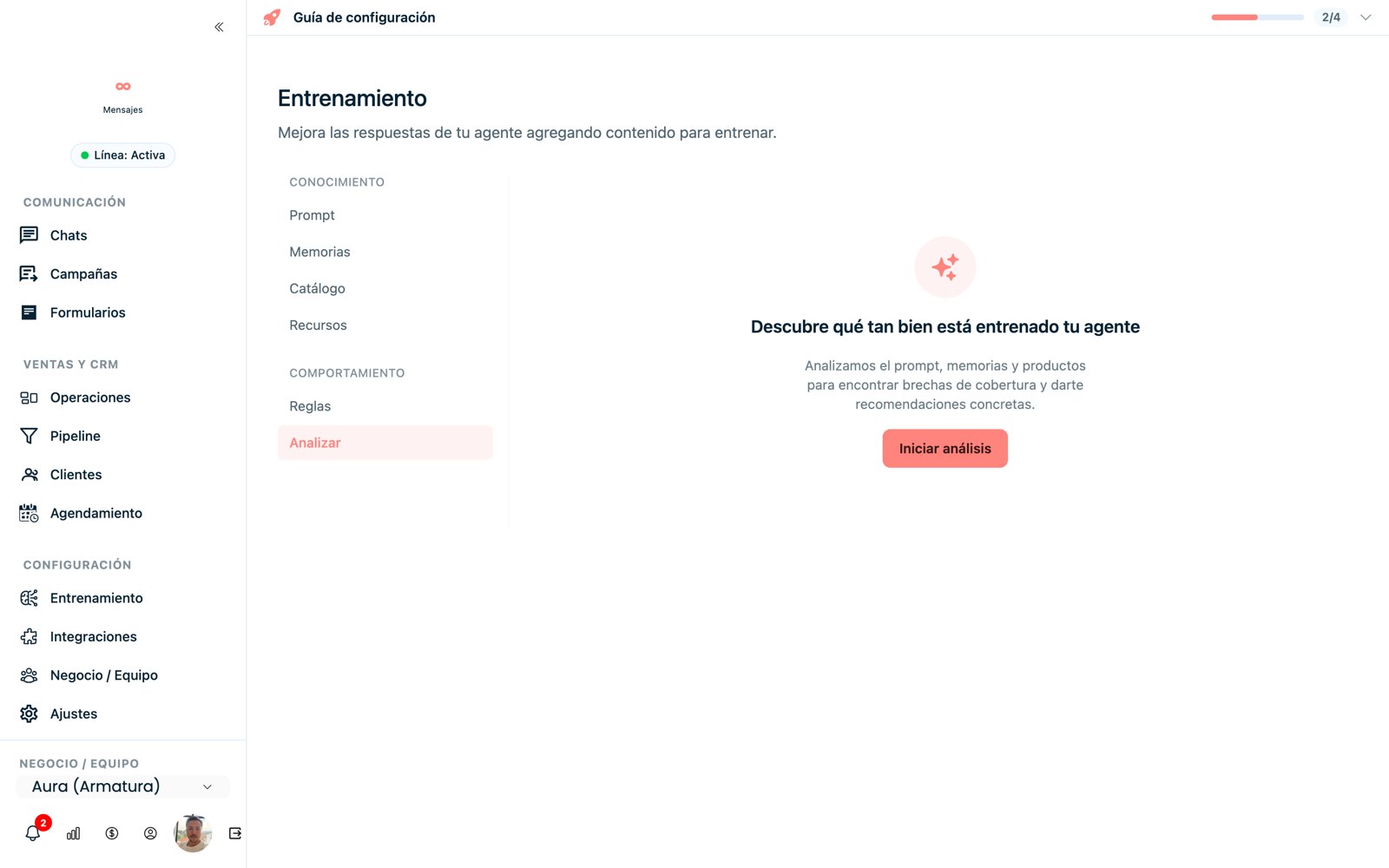
Analyze: check how well trained your agent is and get recommendations.
Test without fear: draft and publish
You don't have to "get it right the first time." Every change you make to the prompt is saved automatically as a draft, without affecting your real customers. So you can iterate calmly:
You edit the prompt (or the memories) and the change stays in draft.
You message from your test line (your personal WhatsApp): the agent already replies with the new instructions, just for you.
When you're happy with it, click Publish to production and only then does the change apply to everyone.
Improving is a practice
Fine-tuning the prompt comes from practice: you write, test, spot a contradiction or an answer that "slips," adjust, and test again. The draft is exactly for that: experimenting without risk to your real operation.
Have it introduce itself as a virtual assistant
Set up the prompt so the agent identifies itself as a virtual assistant from the start, to set the right expectation with the customer. Save the word "advisor" for when you actually transfer the conversation to a person on your team.