
Help center
TBit Integrations
Connect TBit with what you already use: stores, calendar, and the tools where the rest of your operation lives.

Connect what you already use and power up your agent. From a single panel you link your favorite tools, channels, invoicing, store, and payments, and let your agent work for you. Go to Settings → Integrations.
Messaging
The channels where your agent talks to your customers. Turn them on to receive messages and notifications; you can connect more than one account per channel.
WhatsApp: the main channel. Turn on your account (or WhatsApp Business) to serve, sell, and notify by chat.
Instagram: connect your account so the agent replies to Instagram DMs just like on WhatsApp.
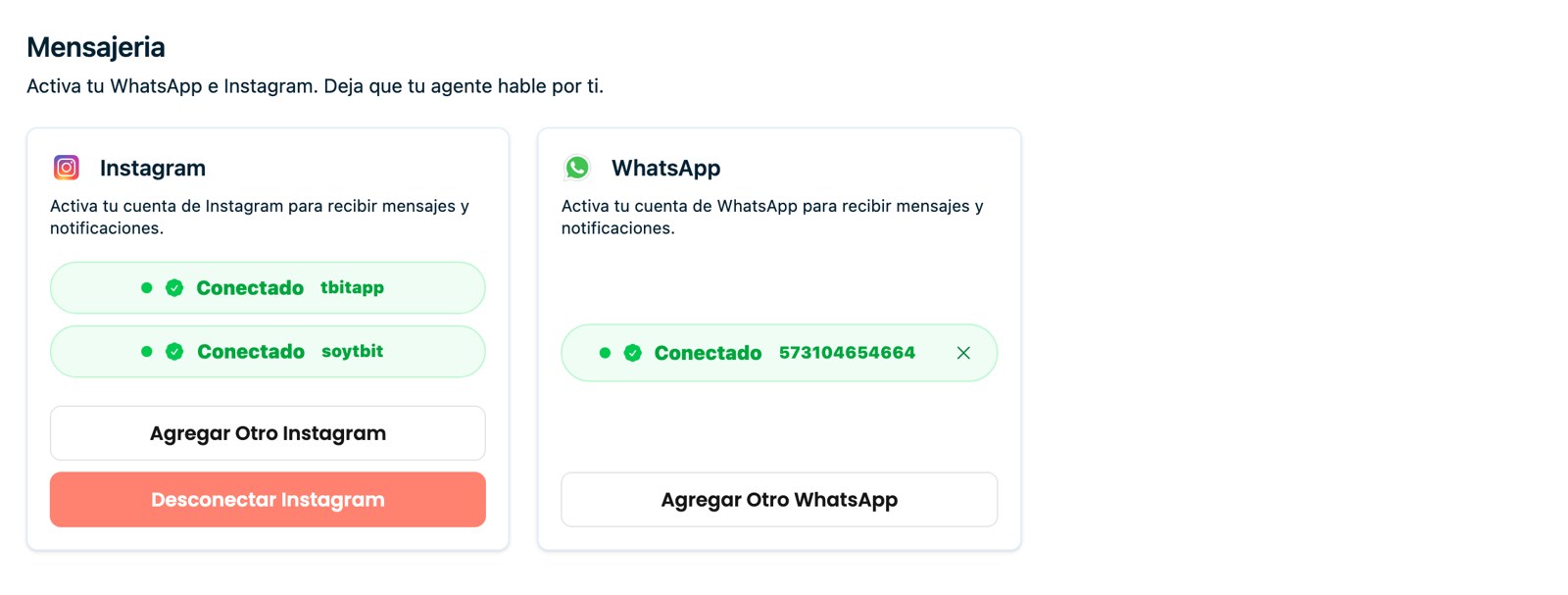
Messaging: turn on WhatsApp and Instagram; you can connect several accounts per channel.
Accounting
Connect your accounting system to handle charges and invoicing over WhatsApp.
Siigo: connect it to check receivables, create invoices, and manage charges directly from the chat, without leaving the conversation.

Accounting: connect Siigo for receivables, invoices, and charges over WhatsApp.
E-commerce
Connect your store to sell without hassle: the agent knows your real catalog and guides the purchase.
Shopify: sync your products. Your agent shows only what's available, avoids duplicate sales, and sends the customer straight to the purchase link. Everything in order, no confusion.
Jumpseller: link your store to sync products and let the agent handle sales.

E-commerce: sync your store with Shopify or Jumpseller.
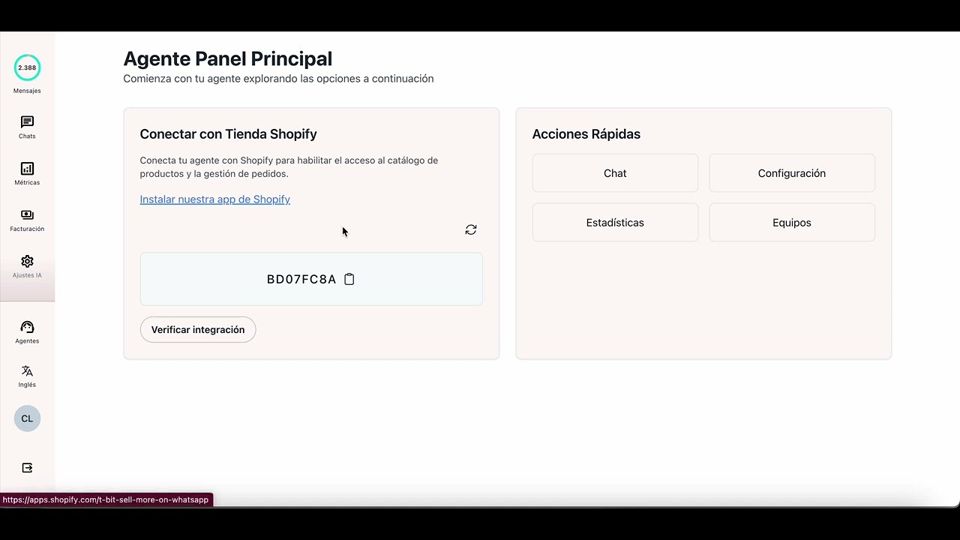
Watch the video: T-Bit: How to connect an agent to Shopify
Payments
Connect your payment methods to charge inside the chat with automatic payment links.
Mercado Pago: accept payments with cards, cash and transfers.
Wompi: generate automatic payment links (cards, PSE, Nequi). It works in COP.
Test gateway (test mode): simulate card payments without charging real money. Ideal for testing the order flow before connecting your production gateway.
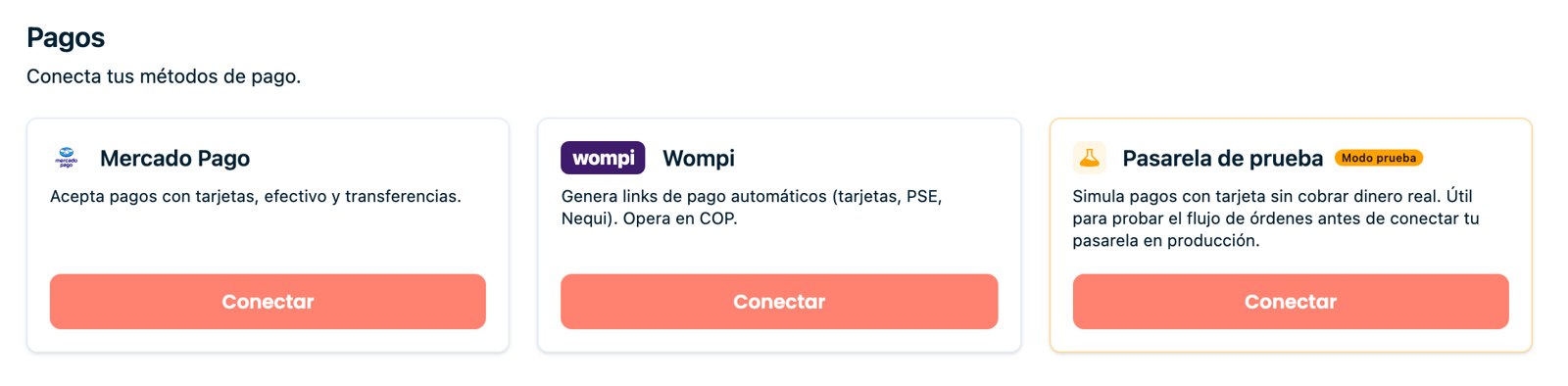
Payments: Mercado Pago, Wompi and a test gateway to simulate charges.
Custom tools (API)
Do you use your own system? With API tools you extend your agent's capabilities by connecting it to external services. You register an endpoint (GET or POST) with its parameters and the agent can query or run actions in your systems during the conversation, for example, check an order in your ERP, validate a piece of data or trigger an action, and use the response to reply to the customer.
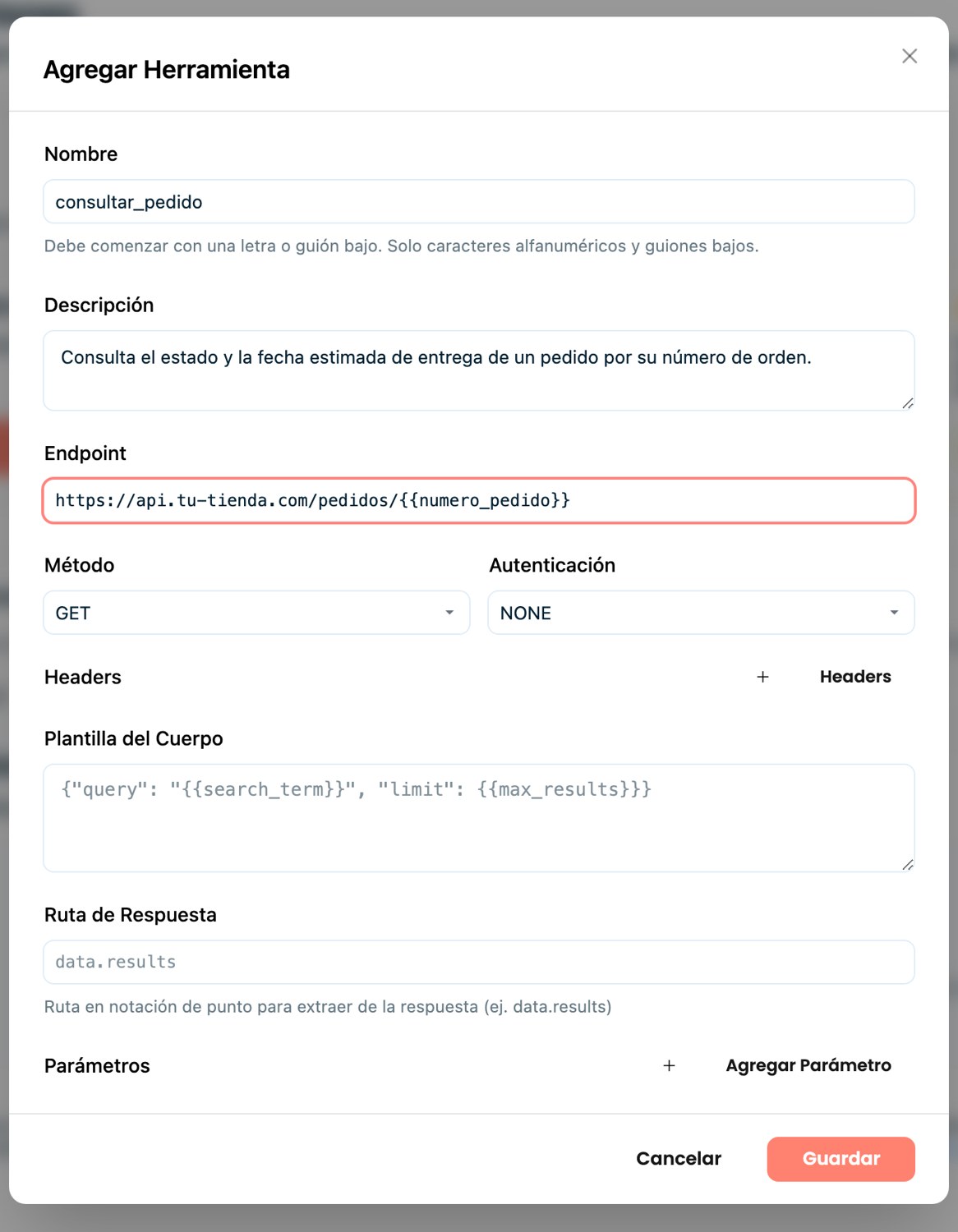
API tools: register GET/POST endpoints with their parameters to extend your agent.