
Help center
Metrics for your operation in TBit
The thermometer of your operation in TBit: what each metric measures and how to read it to know if the agent is selling.
It's the view that consolidates everything so you understand how you're working and what's generating sales. Here you see the full picture, not conversation by conversation.
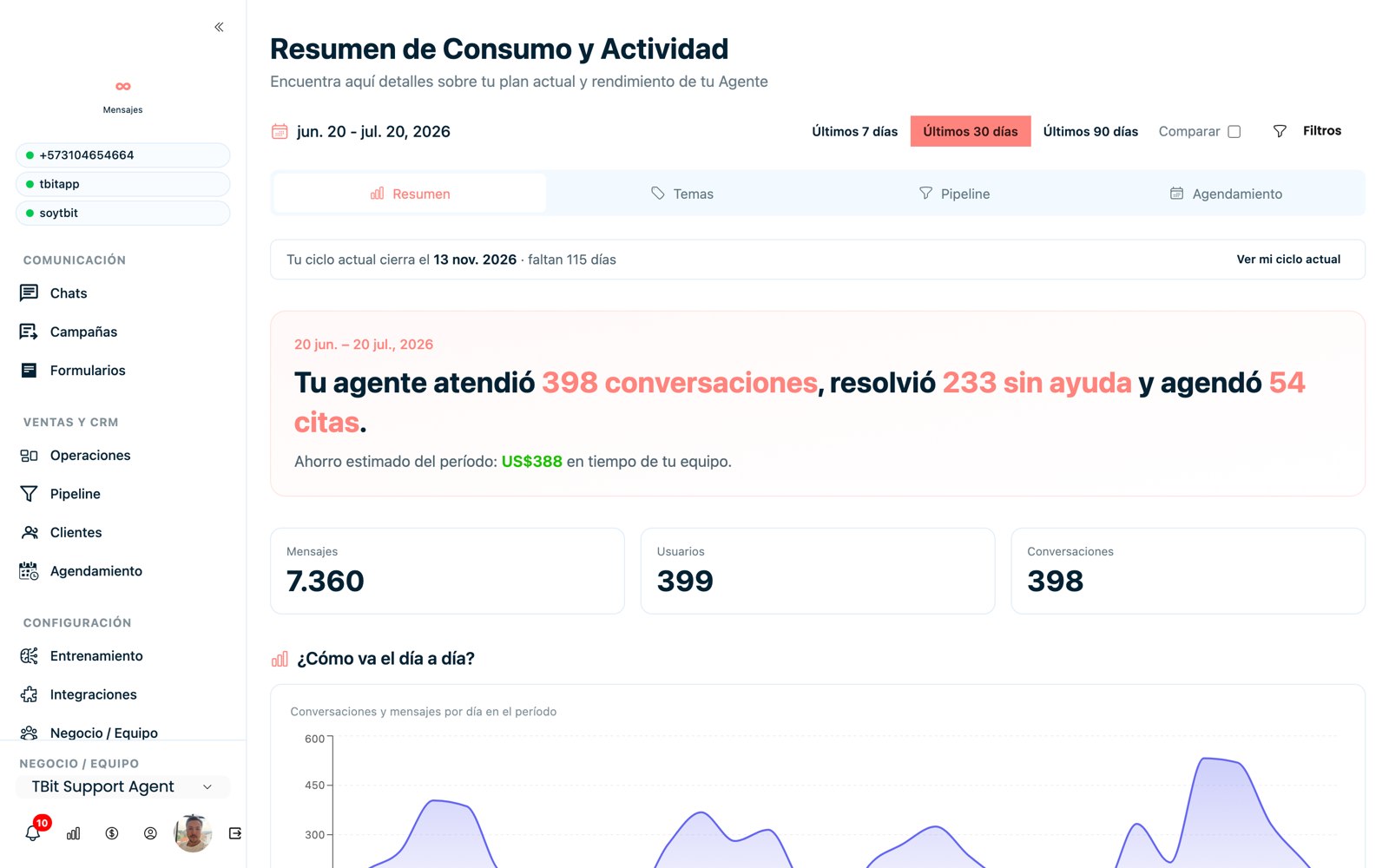
Consumption and activity summary: conversations handled, resolved without help, appointments and estimated savings.
What they show you
AI vs. human work: what percentage the artificial intelligence resolved and where your team took part. TBit is designed for a hybrid model: AI does the bulk and people push the key cases.
By channel: how much comes in and gets resolved through WhatsApp, Instagram, your website button, etc.
Value generated: booked appointments, payments and other events that bring you closer to the sale.
Performance of your Meta ads
Since TBit knows the origin of each contact (see Customers), in Metrics you can evaluate your Meta creatives with real data:
See each ad (creative) and how many people it brought.
Check when those conversations were attributed and download them.
Spot the creative that's expensive per conversation and decide to turn it off: you optimize your ads with evidence, not blindly.
And your campaigns
For bulk sends, the metrics show you how many messages were delivered, how many were read and how many failed, so you can measure the real impact of each campaign.