
Help center
Product and service catalog in TBit
Upload products and services to TBit so the agent can offer, quote and sell them inside the WhatsApp conversation.

The Catalog is the structured inventory your assistant checks in real time to know what you sell, in which variations and with what stock. You have two options: products (with inventory) or services (with time slots).

Watch the video: TBit Learning — How do you upload products to your store?
New product
Name: clear product title (e.g. T-shirt, mug, book).
Description: material, dimensions or what's included. It's the key info the AI uses to advise.
Price and currency: commercial value and currency type (you can mark it as Free).
Categories: tags to organize and make searching easier.
Media: official photos and videos that will be shown in the chat.
Inventory: turn on stock or SKU control so you don't sell sold-out items; mark Variants if there are sizes, colors or editions.
Weight (shipping): to calculate delivery costs automatically.
Click Create to upload the product in real time.
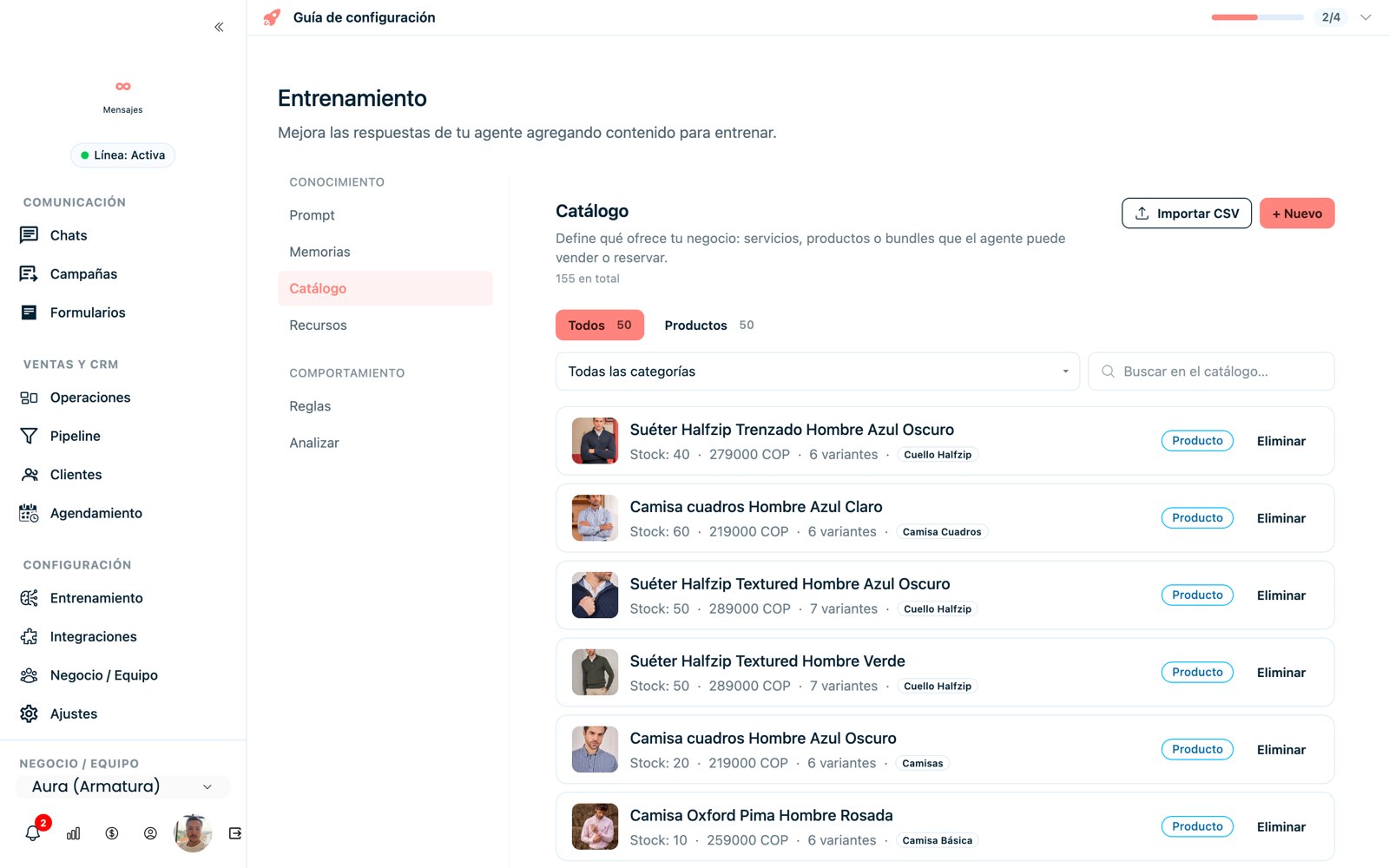
Your catalog: products with photo, price and stock that the agent uses when selling.
New service
For consultations, coaching, classes or appointments, fill out the service form so the AI learns to schedule them and explain them:
Name, description, price and categories of the service.
Format: Virtual (generates a video call link) or In person.
Duration: from 15 minutes up to custom options, so you book the right block.
Location and address if it's in person, and a coordination phone number (optional).
Review and click Create.

New service form with scheduling.