
Help center
Why WhatsApp asks for Facebook when you connect it, and what to check when it fails
What Meta's business manager is, why your number doesn't show up when you connect WhatsApp to a CRM or to TBit, and how to unblock it based on the notice you get.

The question we get the most
"If this is going to connect to my WhatsApp, why is it asking for Facebook?" It comes up when you connect your WhatsApp line to a platform to serve customers: a CRM, a messaging system, or TBit. In all of them, the connection goes through a Meta window, and when that window fails it almost never tells you why.
This guide shows you where it got stuck, based on what you see on screen. The examples are from TBit and work the same for any other platform.
Follow it with your AI assistant
You don't have to read the whole thing or wait for someone to help you. Give this guide to the AI assistant you already use (ChatGPT, Claude, Gemini or another) and ask it to walk you through it while you have the Meta window open.
If your assistant opens links, paste this one and tell it "guide me through this page, one step at a time": tbit.app/es/docs/whatsapp-pide-facebook
If it doesn't open them, copy the text in this box and paste it into the chat. Then tell it what message you got, or send it a screenshot.
You're going to guide me through connecting my WhatsApp Business number to a platform
(a CRM, a messaging system, or TBit). The connection goes through a Meta window
and it got stuck. Help me find where.
HOW TO GUIDE ME
- One step at a time. Tell me what to open and what to tap, and wait for me to tell you what I see.
- Start by asking me what message popped up, or ask me for a screenshot of the window.
- Talk to me without jargon. If you use a Meta word, explain it.
- Never ask me for passwords or verification codes.
- Before any step that deletes something, tell me what gets lost and wait for my confirmation.
- If what I see doesn't match this guide, tell me. Don't make up screens or buttons.
HOW META WORKS
- Meta is the company that owns WhatsApp, Instagram and Facebook. It keeps the person
and the business separate.
- It recognizes the person by their Facebook. That's why it asks for it when connecting: it's the key
to check who you are.
- It keeps the business in a business manager (today it's called a business
portfolio). It's like a store: inside are the page, the Instagram, the ads
and the WhatsApp number. People are invited to the store, and each person is given
full control or partial access.
- Meta also creates managers on its own, for example when you promote a
post from Instagram or when you put the number in the profile. There are businesses with
two or three, and owners who didn't know they had one.
- The rule: a WhatsApp number lives in a single manager. To connect it
you need three things: log in with the right Facebook, choose the manager
where the number lives, and have full control there.
DIAGNOSIS, BASED ON WHAT I SEE
1. "My business doesn't show up" in the Meta window.
Cause: I logged in with another Facebook (my partner's, the one of whoever set up the page).
What to do: look at the photo at the top right of the window, tap
"Add another account" and log in with the Facebook that manages the business.
2. "My number doesn't show up in the list", or a message like "The phone number you
entered isn't associated with the business you selected" or "The account has already been
added to another Facebook business account".
Cause: the number is stored in another business manager.
What to do:
a. Go to https://business.facebook.com. At the top left all my managers are listed. Count them.
b. In each one: Settings > WhatsApp accounts, and check which numbers it has.
c. If it's not in any of them, log out and go to that same page with
"Continue with Instagram": there the one Meta created from my Instagram shows up.
d. Once located, there are two ways out: connect by choosing that manager, or delete
the number there, wait a few minutes and connect it again. Before deleting it,
check that it doesn't have active ads.
3. "It keeps loading and nothing happens", or it won't let me finish.
Cause: I'm in the right manager, without permission to decide.
What to do: at https://business.facebook.com, Settings > People, look for my
name. It has to say "Full control". If it says "Partial access", whoever
manages it changes it right there. It's best for the business owner to have full
control, and for the agency to join as a guest.
4. "The business already shares this WhatsApp Business account with a partner" or
"This account already has the maximum number of partners assigned".
Cause: the line was connected to another platform. Even if the
payment was canceled, for Meta that provider is still connected and won't let another one in.
What to do: in the WhatsApp Business app on your phone, Settings > Account >
Business platform. Disconnect the previous one, wait half an hour and try
again.
5. "I've checked everything, and I don't know where my number ended up".
Last resort: start from scratch. In the WhatsApp Business app on your phone,
Settings > Account > Delete account, and create it again with the same number.
When you delete it, Meta releases the number from the manager where it was. It can take
from a few minutes to a day.
Cost: the chats on your phone get erased. Make a backup first.
HOW IT LOOKS WHEN IT'S DONE RIGHT
- At https://business.facebook.com, in Settings > WhatsApp accounts, my
number shows the platform with full access under "Partners". TBit appears as
"Qatro 20 Company".
- Under "Connected apps" the platform appears.
- In TBit, the line arrives paused. I activate it when I want it to start
replying.
If your case doesn't fit any of these, there's a longer guide with seven paths:
https://tbit.app/es/docs/conectar-whatsapp-metaYour assistant never needs your password or the codes that arrive by message. If it asks for them, don't give them.
Watch it in five minutes
The full walkthrough, with the real Meta and TBit screens.
How Meta sees you
Meta, the company that owns WhatsApp, Instagram and Facebook, keeps the person and the business separate.
It recognizes the person by their Facebook. That's why it asks you for it: it's your key, the way to check that you are who you say you are.
It keeps the business in a business manager, which is now called a business portfolio. It works like a storefront: inside are the page, the Instagram, the ads and the WhatsApp number.
They're separate on purpose, so the business doesn't stay tied to one person's Facebook. To that storefront you invite your partner, whoever answers the messages or the ads agency, you decide what each person can use and you remove their access when they leave. Nobody shares passwords.
What almost nobody knows is that Meta also opens managers on its own. All it takes is having promoted a post from Instagram, or having put the number in the profile. That's why there are businesses with two or three, and owners who didn't know they had one.
The rule that explains almost every failure: your WhatsApp number lives in a single storefront. To connect it you need the right key, the right storefront and permission to decide.
1. "My business doesn't show up"
What's happening: you logged in with another key. If your partner's account, or the account of whoever built your page, was left open on that computer, Meta looks for your businesses in that account and finds nothing.
What to check: in the Meta window, look at the photo in the top right: it says which Facebook you logged in with. Tap Add another account and log in with the one that manages the business.
In that same window, at the top, the company requesting the permission appears. TBit shows up as Qatro 20 Company.
2. "My number doesn't appear in the list"
What's happening: the number is saved in another storefront. In the window's list, each number shows the business manager where it lives next to it; if yours is already in one, Meta uses that same one and won't let you change it. These two notices mean the same thing:
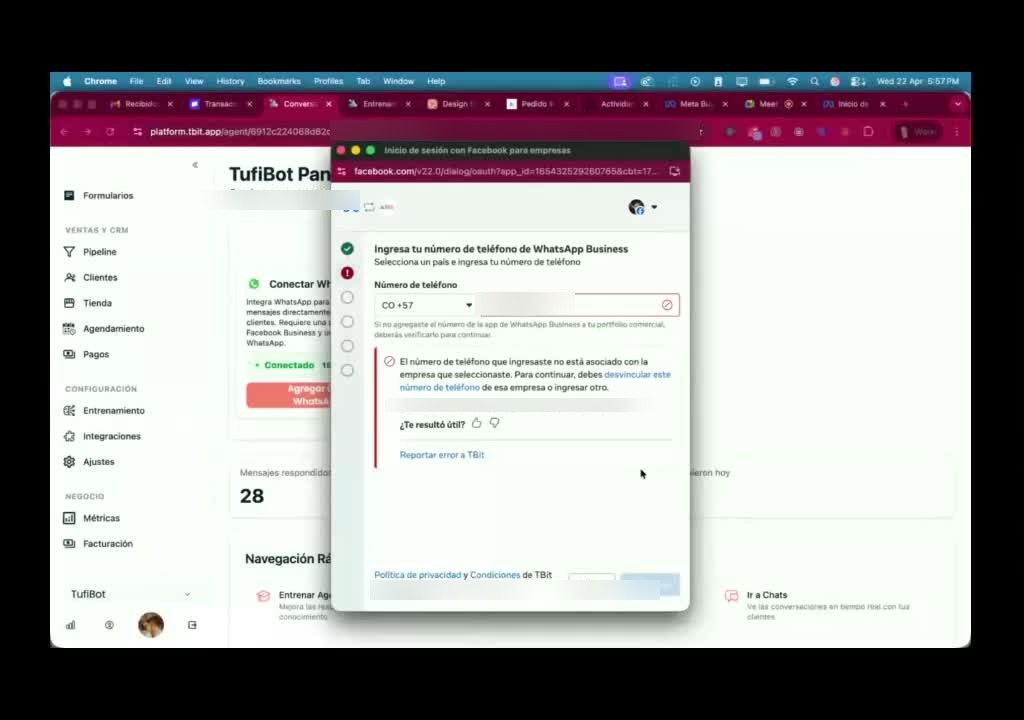
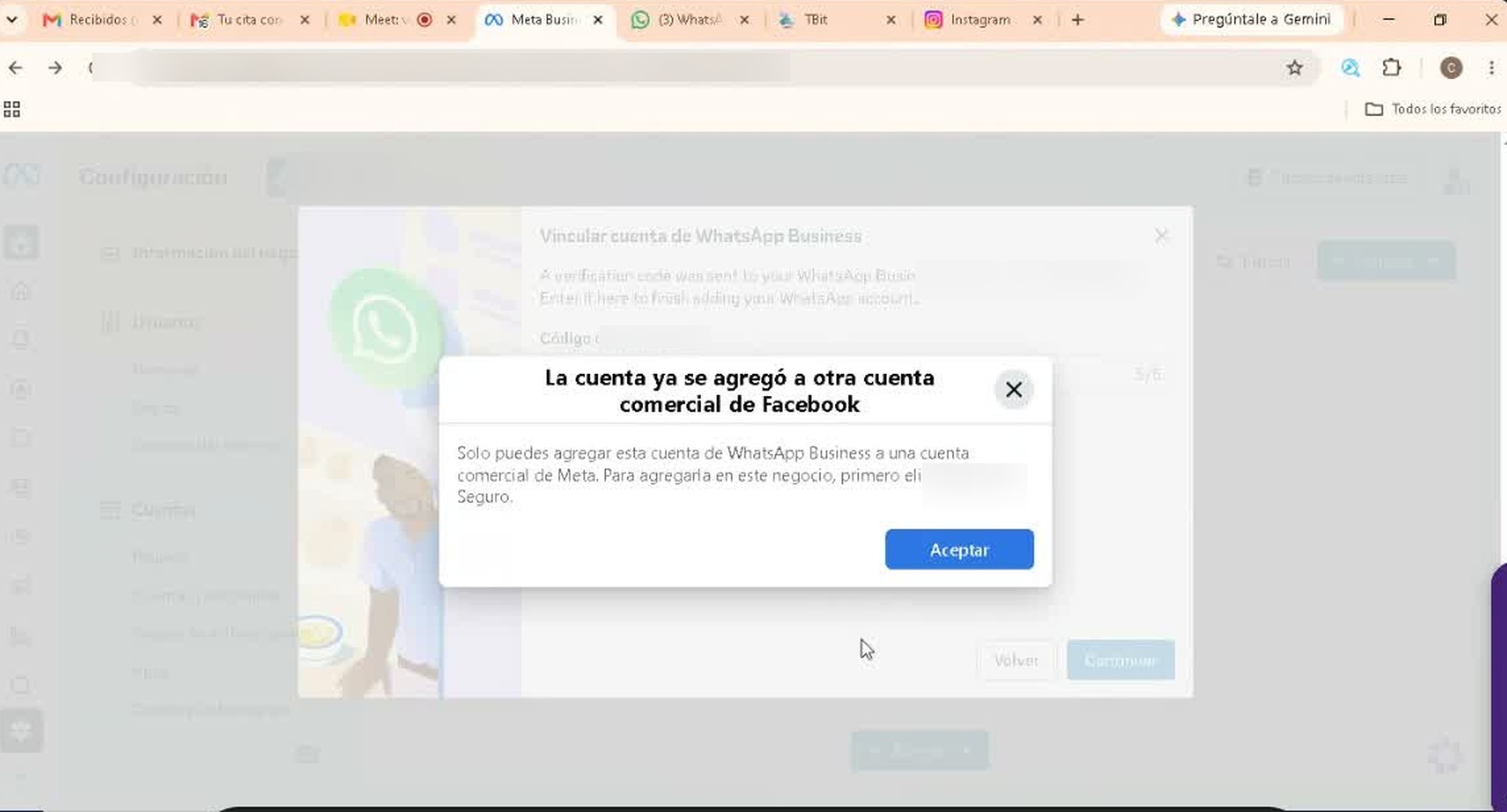
What to check:
- Go to business.facebook.com. All your business managers show up at the top left. Count how many there are, because there are usually surprises.
- In each one, open Settings › WhatsApp Accounts and check which numbers it has.
- If it's not in any of them, it most likely lives in the one Meta created from your Instagram. That one only shows up when you go to that same page with Continue with Instagram.
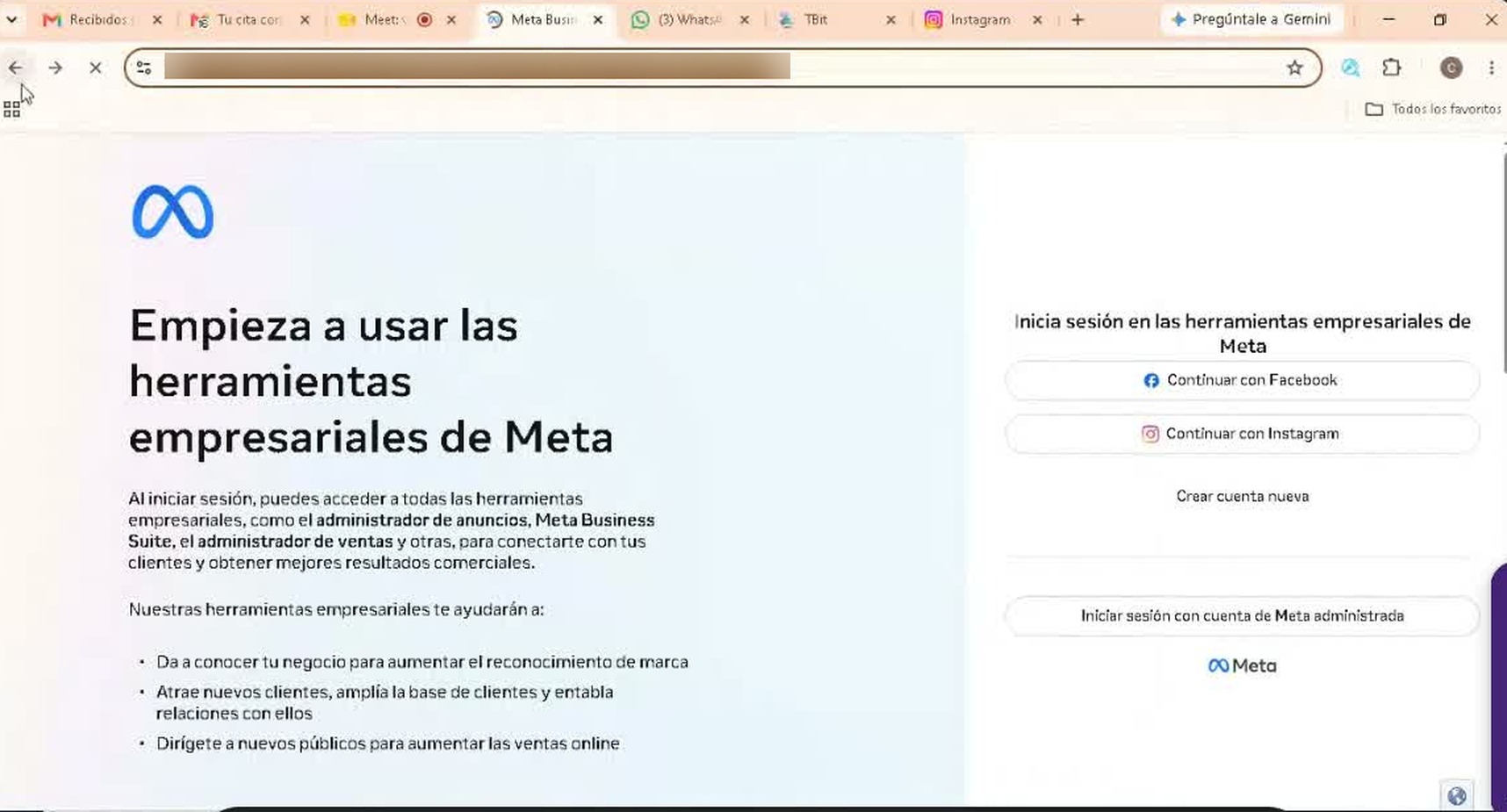
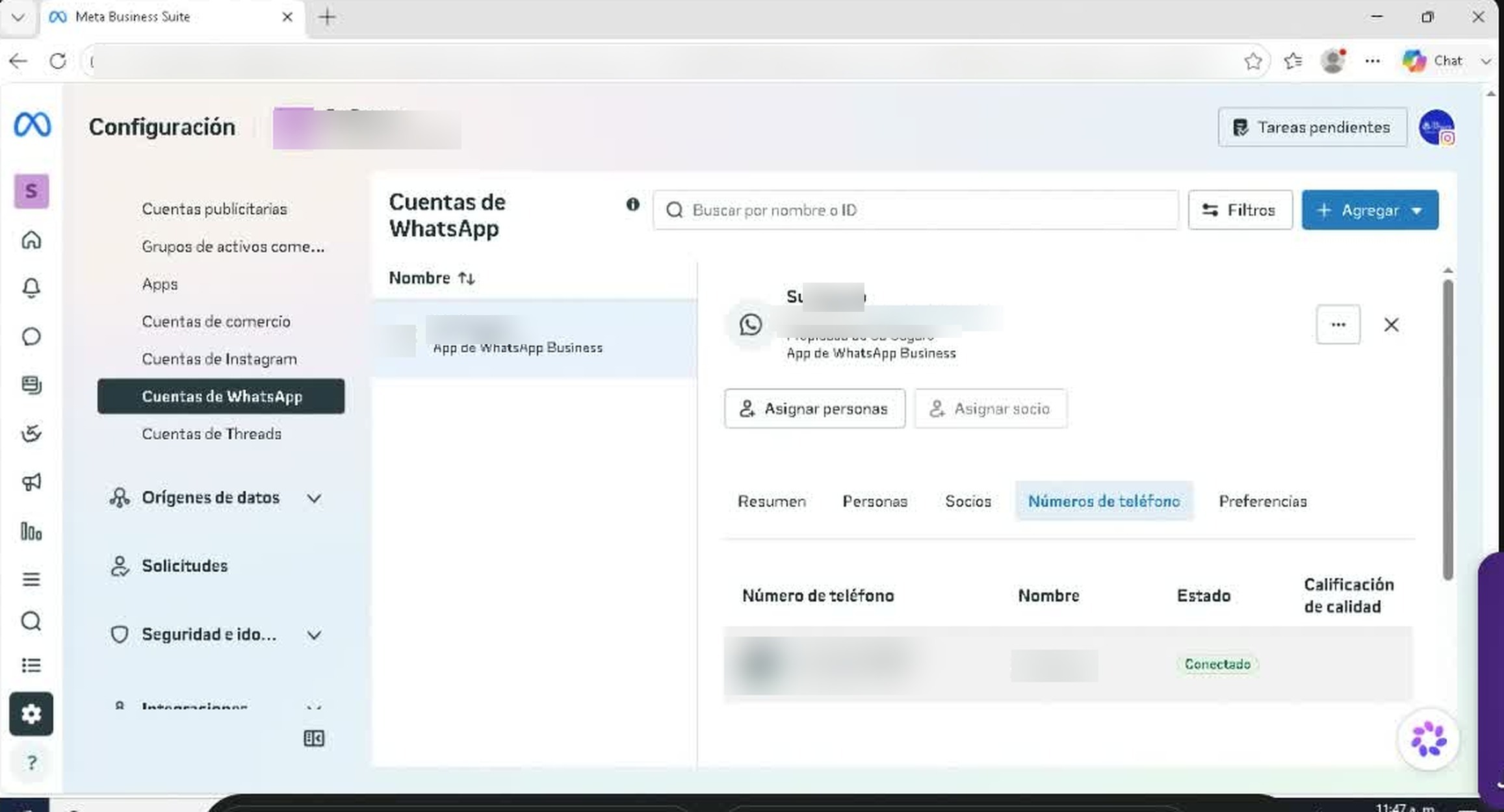
Once you've found it, you have two ways out: connect from that business manager, or delete the number there, wait a few minutes and connect it again. Before you delete it, check that it doesn't have any active ads.
3. «It keeps loading and nothing happens»
What's going on: you can be in the right place and still not have permission to decide. This happens a lot when someone else opened the admin account.
What to check: at business.facebook.com, open Settings › People and look for your name. It has to say Full control. If it says Partial access, whoever manages it can change that for you right there.
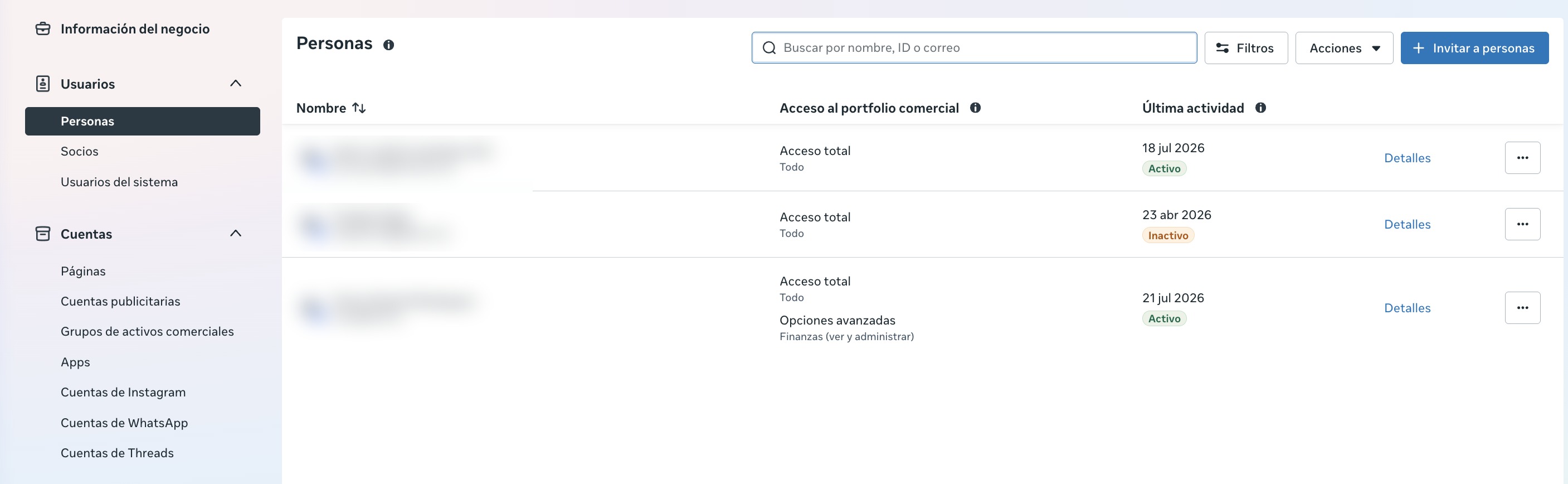
In that same spot you invite your team: you type the email, give them full control or just part of it, and check what they can use.
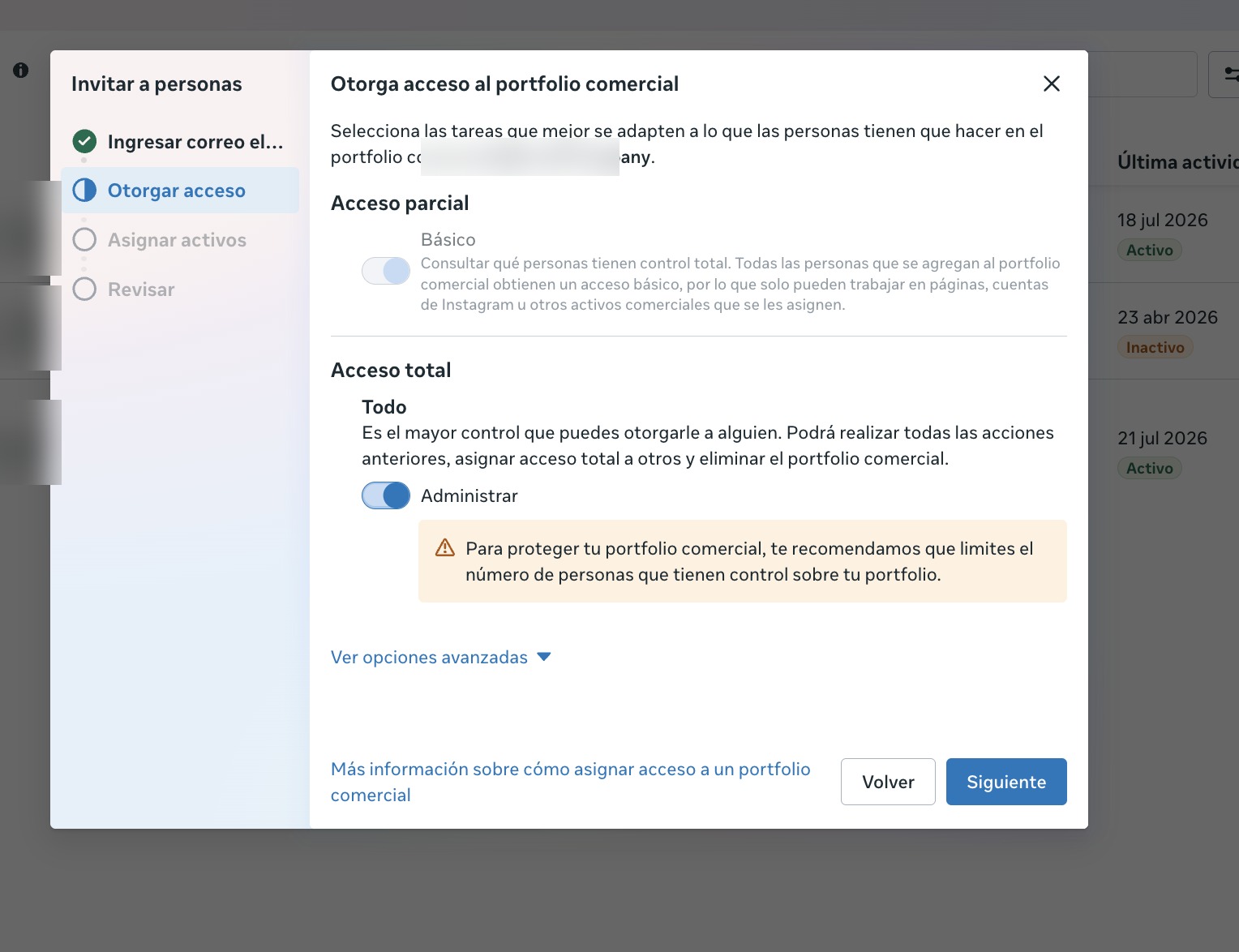
It's best that you hold full control, and that the agency joins as a guest.
4. "It tells me I already have a partner"
What's going on: the line was connected to another platform. Even if you canceled the payment, for Meta that provider is still connected and won't let another one in.
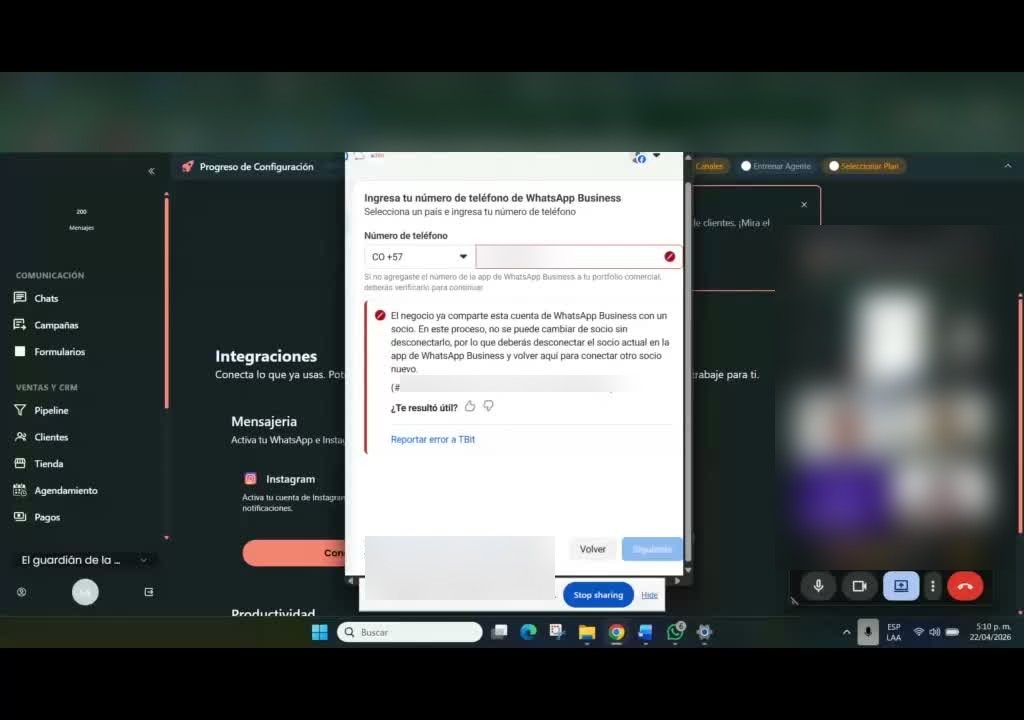
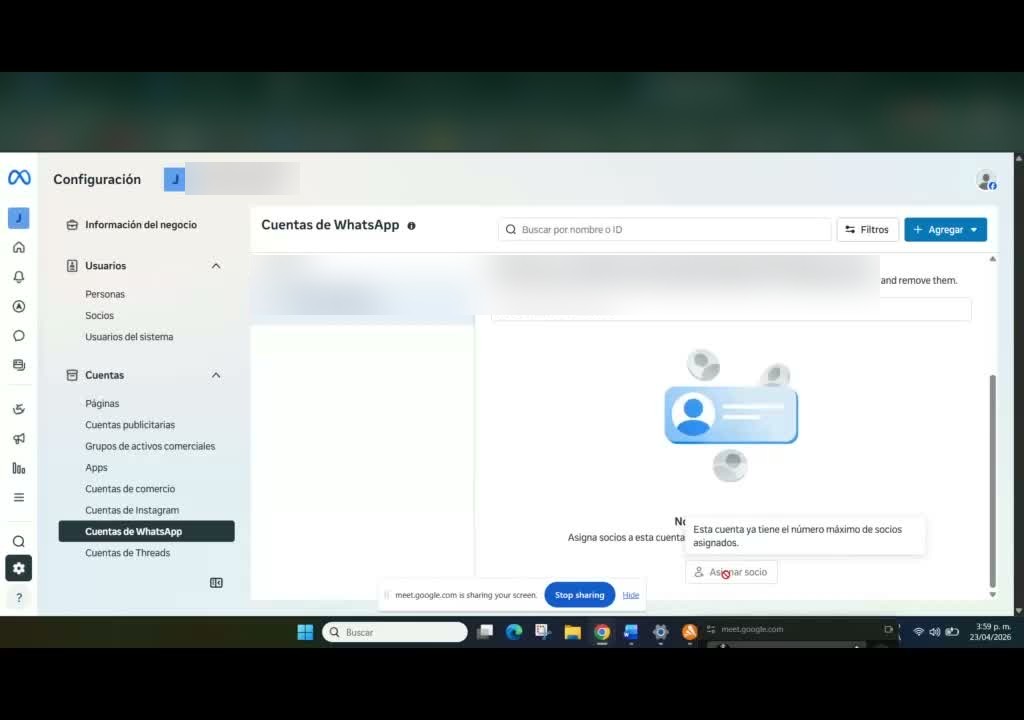
What to check: on your phone, in the WhatsApp Business app, open Settings › Account › Business Platform. Disconnect the previous one, wait half an hour, and try again.
5. "I've checked everything, and I don't know where my number went"
When the number doesn't show up anywhere, there's one way out: start from scratch. In the WhatsApp Business app on your phone, open Settings › Account › Delete account, and create it again with the same number.
When you delete it, Meta releases the number from the admin where it was stored. It can take from a few minutes to a day.
It has a cost: the chats on your phone are erased. Make a backup first, and leave it as a last resort.
This is what it looks like when it's done right
On your number, in Partners, the platform appears with full access (in the case of TBit, Qatro 20 Company), and in Connected apps TBit appears.
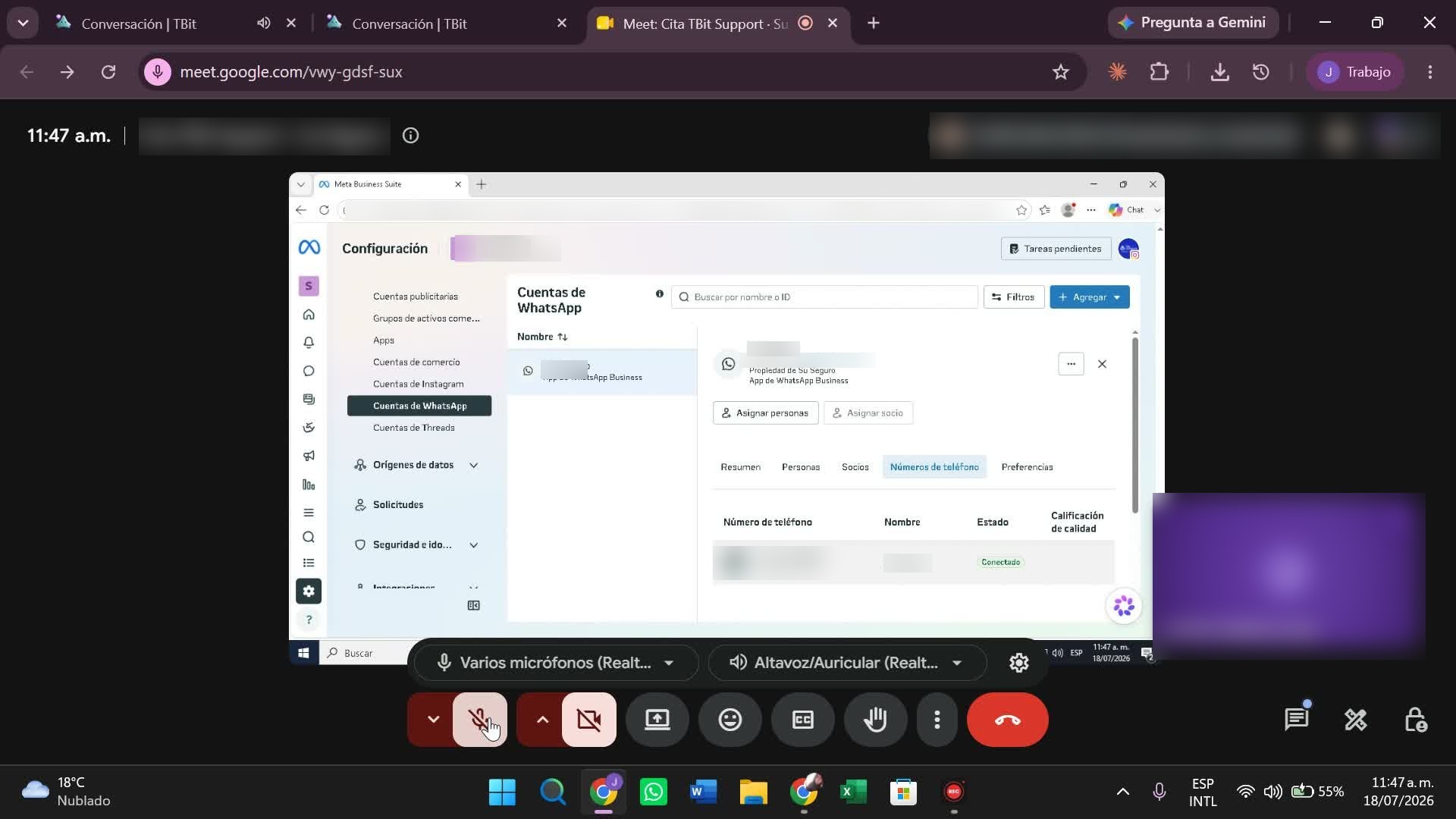
In TBit, the line arrives paused. You activate it when you want your assistant to start answering.
If your case isn't here
There are less common situations: a line that came from the API, a closed account, a number in someone else's hands. They're in the long guide with the seven connection paths, which you can also pass on to your AI assistant.