
Blog
WhatsApp Business vs Personal: Which Should You Use in 2026?
Side-by-side comparison: features, catalogs, API access, verification, and the limits nobody mentions. Pick the right account before Meta's 2026 changes.
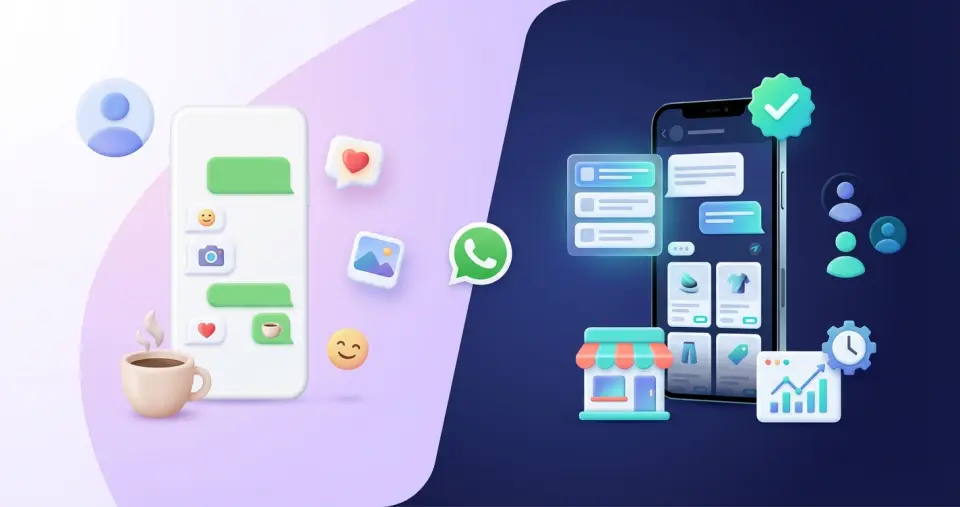
WhatsApp Business vs Personal: The Complete Guide to Upgrading Your Business Communication
WhatsApp and Facebook for your business: Is it time to upgrade from your personal account?
Let's be honest. It's 2026, and if you own a business—however small—and you still manage customer communication from your personal WhatsApp (i.e., the regular app meant for personal use) or that Facebook profile you have from college... you might be missing out on some powerful tools. The good news? Upgrading is easier than you think.
In this guide, we'll break it down simply: what is the real difference between using your personal accounts and the tools WhatsApp and Facebook offer for your business? The difference between WhatsApp for personal users and WhatsApp Business comes down to who the app is for, the available features, and whether you need personal communication or business-focused tools. And most importantly, how does this help you stop wasting time and start seeing real results?
WhatsApp Business vs Personal: Quick Comparison
FeatureWhatsApp PersonalWhatsApp Business AppWhatsApp Business API
PriceFreeFreeFrom $45/mo (via TBit)
Business ProfileNoYesYes + Verified Badge
Product CatalogNoYesYes
Automated MessagesNoBasic (away/greeting)Advanced AI agents
Labels & OrganizationNoYesYes + CRM integration
Multi-device / Multi-agent4 devices5 devicesUnlimited agents
Broadcast Messages256 contacts256 contactsUnlimited templates
Click-to-WhatsApp AdsNoLimitedFull attribution
AnalyticsNoBasicFull conversation analytics
AI IntegrationNoNoYes (TBit AI agents)
WhatsApp: from sending memes to closing sales
We all use WhatsApp. For family group chats, organizing Friday drinks, sending funny videos. Sharing media is key in personal communication on WhatsApp: photos, videos, voice notes. Groups are perfect for friends and family, sharing updates and planning things. But for your business? It's a different game altogether.
Your normal WhatsApp (personal): Yes, it's free and you manage it with your eyes closed. WhatsApp Messenger, also known as the regular WhatsApp, is designed for personal communication and casual messages. But for your business, it has real limitations that can hold you back as you grow. The normal WhatsApp doesn't have the business features you need. It doesn't give you a professional image and, mixing supplier messages with weekend plans can get confusing fast. WhatsApp chats are the main way to communicate, but if you use them for both personal and work, everything gets tangled quickly.
The user interface in WhatsApp Business includes additional tools and features designed specifically for business needs, unlike the simpler design of the personal version.
WhatsApp Business App: your first step to the big leagues
This is the version Meta (the owners of WhatsApp) designed for people like you—small business owners who want to stop improvising and start doing it right. It's the WhatsApp version for businesses, created for professional use. It's free and gives you some breathing room:
Business profile: Here you put who you are, what you do, where you are, your hours... The basics so you can be found and people know you're not just anyone.
Catalog of products/services: Think of a mini storefront inside WhatsApp. Your customers see what you offer without bombarding you with questions.
Tools to keep your sanity:
Quick replies: For those questions you get a thousand times. Copy and paste, but professional.
Labels: To organize your chats: "New customer", "Order in progress", "Payment received". A bit of order goes a long way.
Automated messages: A "Hello! Thanks for writing" when they contact you, or "We can't reply right now, we'll get back to you as soon as we're back" if they message you at 3 a.m. They can include welcome messages for new customers.
WhatsApp Business Features: Enjoy tools like business profiles, automated messaging, and contact management to better connect with your customers.
Using WhatsApp Business is like putting on the right uniform: you look more professional, work more efficiently, and save valuable time. It's a free app designed for small businesses and local shops to streamline communication and customer management.
WhatsApp Business API: where T-Bit comes in and the real magic happens
If you want to take your WhatsApp game to the next level—whether you sell cookies from your kitchen or run a chain of stores—you need to use the WhatsApp Business API. It used to be said that this was only for "mid-sized and large companies" with technical teams and inflated budgets. Pure myth.
The WhatsApp Business API is a full-fledged business solution, a true "business platform," designed for mid-sized and large companies that need to handle high-volume interactions with customers. It is part of the WhatsApp for Business ecosystem, which includes the Business app, the API, and other solutions. The API enables amazing things: multiple people replying from the same number, automating conversations, sending shipping notifications, appointment reminders, and much more. It supports session messages to manage real-time conversations within a 24-hour window, making interactions fluid and efficient.
With the API, you can send and receive messages, process inputs efficiently, and automate support flows. WhatsApp Business accounts are specialized for business communication, with advanced features beyond the personal app. The API integrates with marketing tools and CRMs and email platforms, boosting your strategy. It also offers robust data handling and compliance with privacy regulations like GDPR and CCPA.
WhatsApp Web can be used to manage conversations from the browser and handle multiple chats. To access the API, many companies work with a WhatsApp Business Solution Provider, which helps implement official, scalable, compliant messaging. The API is the advanced solution to scale support and engagement, and the WhatsApp Business Platform is the ecosystem that supports all your messaging needs. There are solutions for every size, from small businesses to large corporations.
WhatsApp messages become a key channel for engagement and automation, allowing you to manage interactions at scale. The API helps you answer questions, resolve issues, and provide real-time support. You can even use the same phone to have both WhatsApp and WhatsApp Business with different numbers for personal and business use.
WhatsApp for Business encompasses all these tools, making it easier to choose the right solution. Understanding the differences between personal WhatsApp and business helps you pick the best for your company and unlock the potential of business messaging.
With T-Bit, the WhatsApp Business API isn't a monster: it's your best ally. Whether you're solo or a team of 20, we have a plan to fit you.
Facebook: from vacation photos to customer magnet
Facebook... that place where you post travel photos and remember birthdays. Using your personal profile for business? There's a much better way.
Your personal Facebook profile: It's for your friends, family, and acquaintances. Using it to promote your business all the time isn't just ineffective—it violates Facebook's rules. Also, do you really want your customers to see your Saturday night photos? Probably not. And there's a friend limit, not a customer limit.
Facebook Page for businesses: your true digital storefront
Your business identity: Here people see you as a serious company. Put your logo, description, services, contact details, and a button to buy or inquire.
Key statistics: Facebook shows who sees your posts, when, what they like... Pure gold to avoid shooting in the dark.
Advertising that works: Want to run ads? You need a Page. And well-targeted, Facebook ads can work wonders.
No follower limits: There's no "friend cap" here. The more, the better.
You don't have to do it alone: You can add team members to manage the page.
Tools to sell and connect: Schedule posts, create events, set up a basic shop...
A Facebook Page gives you everything to build a community, get yourself known, and—most importantly—sell.
Why make the switch to business accounts?
Using personal accounts for business can work at first, but as you grow, you'll quickly find yourself hitting walls. Business tools are designed to help you scale smoothly.
Switching to business tools on WhatsApp and Facebook gives you:
Credibility: Present a professional image that builds trust with every interaction.
Purpose-built tools: Use features specifically designed for sales and customer support.
Room to grow: What works today with 10 clients will work tomorrow with 1,000 if you do it right (especially linking WhatsApp with T-Bit 😉).
Play by the rules: Avoid trouble with platforms by using each account for what it's for.
Understand what works: Data tells you what your audience loves so you don't waste time and money.
Business profiles and verification: look legitimate, earn trust
Let's be realistic: in business messaging, first impressions matter. If you want to be taken seriously, you have to look the part—and that starts with a properly set up WhatsApp Business profile. Don't get lost among personal accounts; a WhatsApp Business account is your card, showroom, and digital handshake, all in one.
With the WhatsApp Business app you can configure a profile that tells your story at a glance. Add business name, concise description, address, and all contact details your customers need. It's not just "looking good": it makes it easier for people to find you, understand what you offer, and trust that you're real.
And here comes the next level: verification. When your WhatsApp Business account earns the coveted verification badge, it's like WhatsApp's own seal of approval. People see that check and know they're dealing with a legitimate business, not just any personal account. That boosts satisfaction and loyalty—because people want to know who they're talking to, especially when money is involved.
Key differences between a personal account and a WhatsApp Business account go far beyond the name. With a business account you unlock features for true engagement: automated greeting or FAQ responses, labels to organize chats, and even a catalog to show your products or services. Personal WhatsApp is great for friends, but it doesn't compete when it comes to customer service or campaigns.
If you're a small business, the WhatsApp Business app is a no-brainer: it's free, comes with business tools, and helps you manage communication like a pro. For larger businesses or those ready to scale, the WhatsApp Business API opens the door to more: automation at scale, multiple users on the same account, and connections to CRMs for a superior experience.
In short: whether you're a local business or ready to go global, moving from a personal account to a verified WhatsApp Business account is the smartest move. You'll look more professional, keep your customers engaged, and build a reputation that brings them back. Plus, with end-to-end encryption, voice and video calls, broadcast messages, and all those extra features, WhatsApp Business is the preferred messaging platform for companies that want to stand out.
Take the step toward a business profile that helps you stand out—and earn your customers' trust.
Ready to take your business to the next level?
If you're happy with your current setup, that's okay. But if you're ready to grow, look more professional, and simplify your workflow, the path forward is clear.
WhatsApp Business (especially connected with T-Bit to unlock its full potential, no matter your size) and a Facebook Page for businesses aren't luxuries—they're essentials for modern businesses. Start building a more professional, efficient operation that delivers the results you're looking for.
Create your TBit today 🚀