Per-member contact ownership: each rep sees only their own
2026-09-14T00:14:50.142Z
- Each rep sees only the contacts they handle; the owner and full admins see everything.
- Turn it on per person in Business / Team; it also switches on auto-assignment for new conversations.
- The fence lives on the server: web, mobile app, conversational TBit and API.
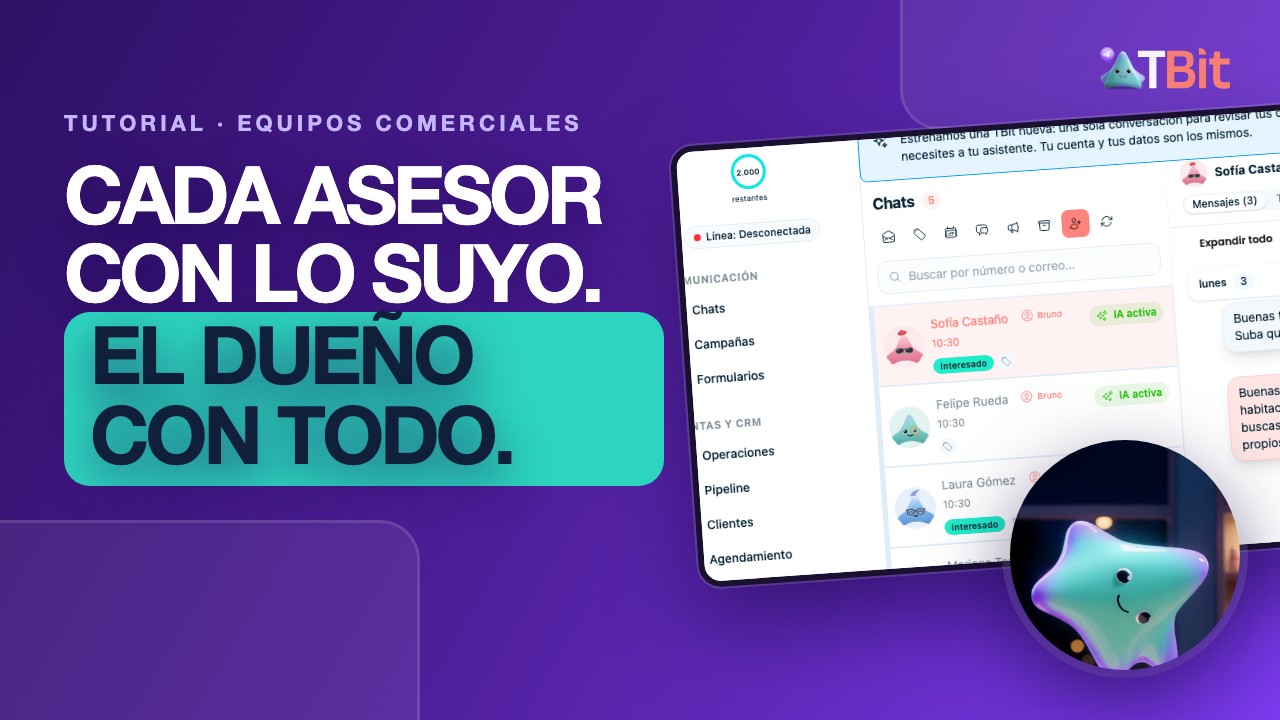
Every rep with their own. The owner with all of it.
Contact ownership decides who sees whom. Turn it on in a team member's profile and that person sees only the contacts they handle: their chats, their customers, their pipeline, their tasks and their orders. The owner and full admins still see the whole business. The fence isn't in the screen, it's in the server: it holds on the web, in the mobile app, when you ask your TBit in chat, and when someone queries the API.
See it in three minutes
Ana, Bruno and Carla work in the same account. Watch what each one sees.
Who it's for
If more than one person works your inbox, ownership brings order without anyone losing information.
It fits if
You run a sales team and each rep works their own book of business.
You sell through reps by territory or product: real estate, car dealers, insurance, education.
You pay commission on closed deals and need it clear who handled whom.
Your inbox holds so many chats that every rep wastes time finding theirs.
What it is not
It is not privacy from the owner. The owner and full admins read every conversation, always.
It does not hide the totals. Business numbers and pipeline stages stay complete for everyone.
It is not calendar control. Someone who only books appointments already has their own permission to see just their appointments.
How to turn it on, step by step
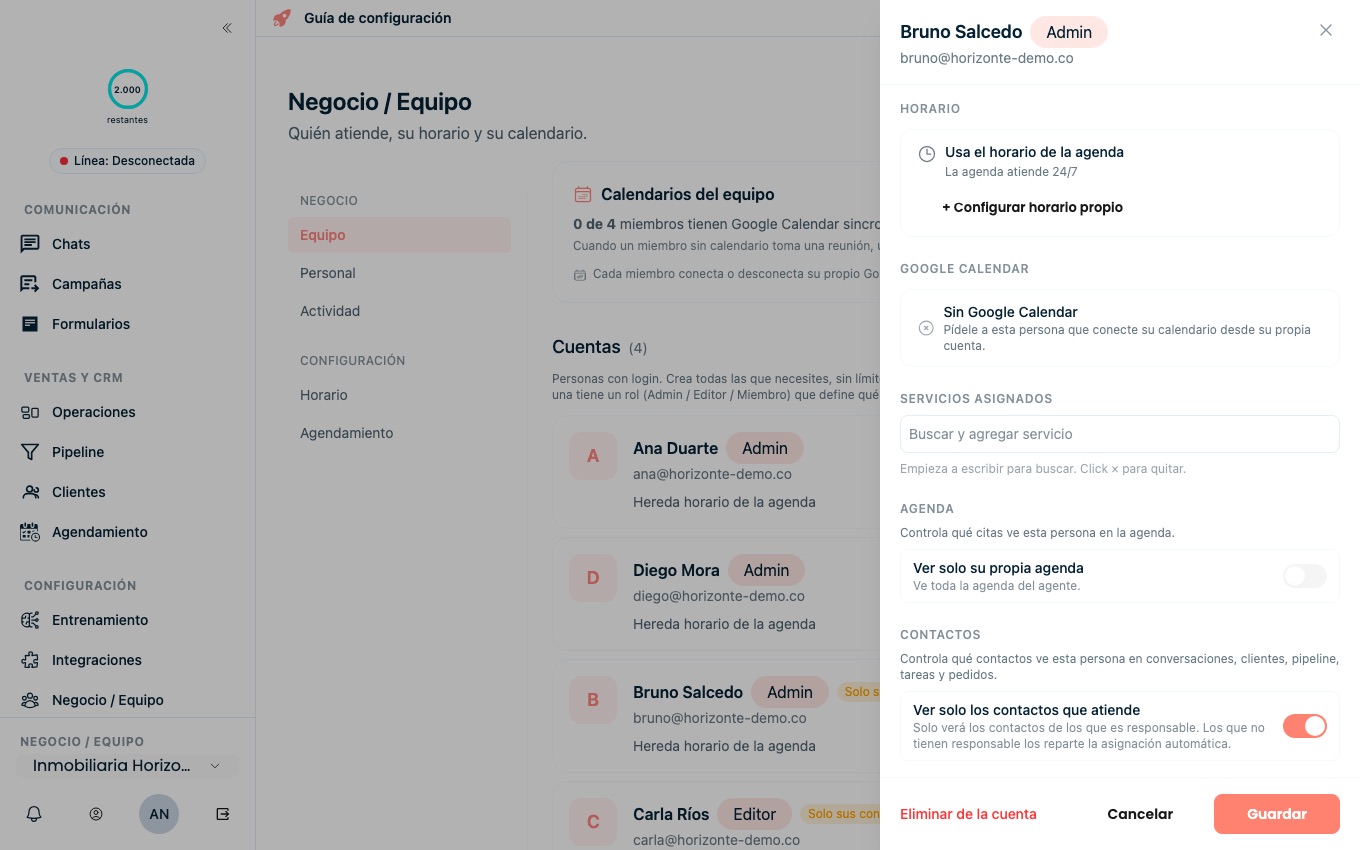
You turn it on one person at a time, from each member's profile. In the sample account, Ana owns Inmobiliaria Horizonte and is turning ownership on for Bruno, one of her reps.
Go to Business / Team. Sign in as the owner or an admin and open Business / Team in the left menu. That's the list of everyone with access to the account.
Open the member's profile. Click the person you want to turn ownership on for. Their profile opens on the right, with their hours, calendar, services and permissions.
Turn on "See only the contacts they handle". Scroll down to the Contacts section and flip the switch. From that moment on, that person only sees the contacts they own.
Let TBit hand out new conversations. The first time you turn ownership on in the account, TBit also turns on automatic assignment for new conversations: every incoming chat gets an owner from the first message, so nothing sits unclaimed.
Save. Hit Save and that's it. The change applies immediately, everywhere, without the person having to log back in.
What each person sees
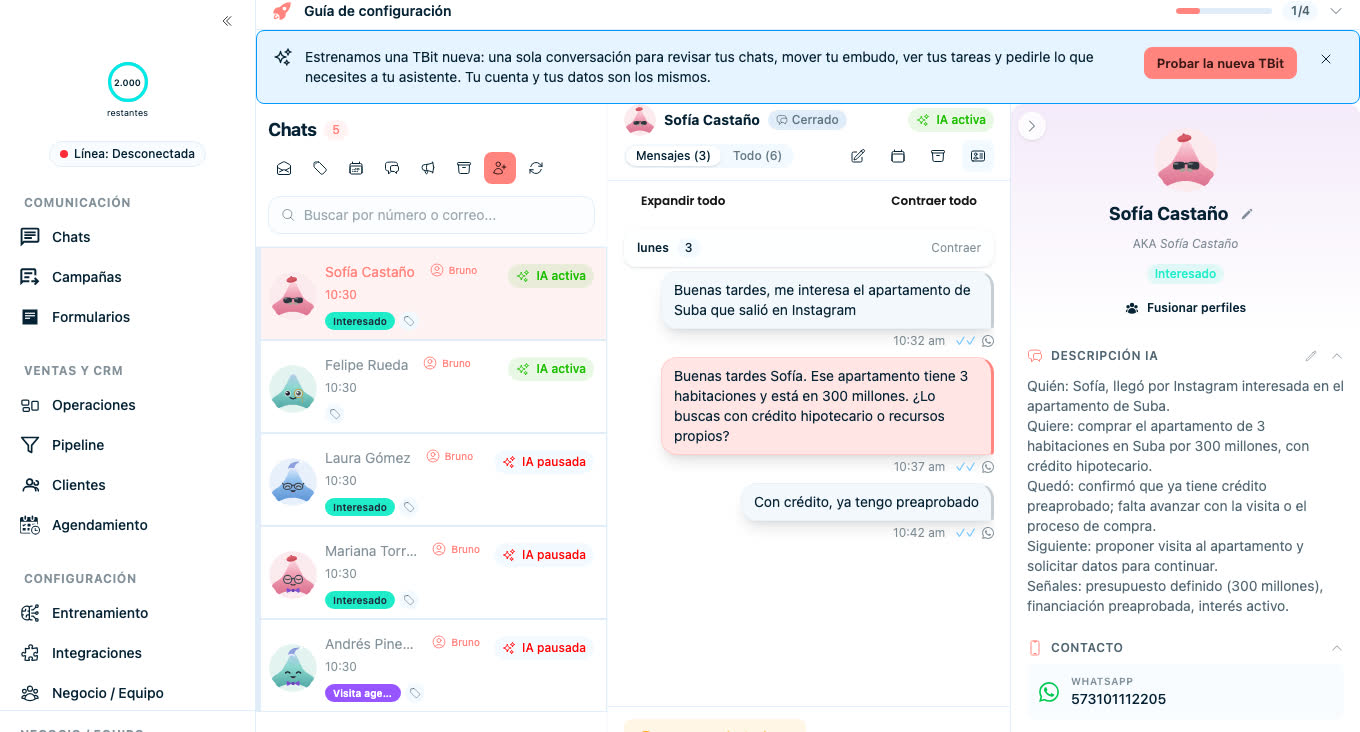
At Inmobiliaria Horizonte, Ana is the owner, Diego is the manager with full access, and Bruno and Carla are reps with ownership turned on.
Ana, the owner: Everything: every chat, customer, pipeline card, task and order in the account. She also assigns and reassigns whoever she wants.
Diego, full admin: The same as Ana. An admin who sees every contact is the one who hands out the team's work.
Bruno and Carla, reps with ownership: Only their contacts, across all five screens: inbox, customers, pipeline, tasks and orders. Business totals and pipeline stages stay complete for them.
A contact with no owner yet: Only people who see everything can see it, until automatic assignment hands it out or an admin assigns it by hand.
Handing a contact to a teammate
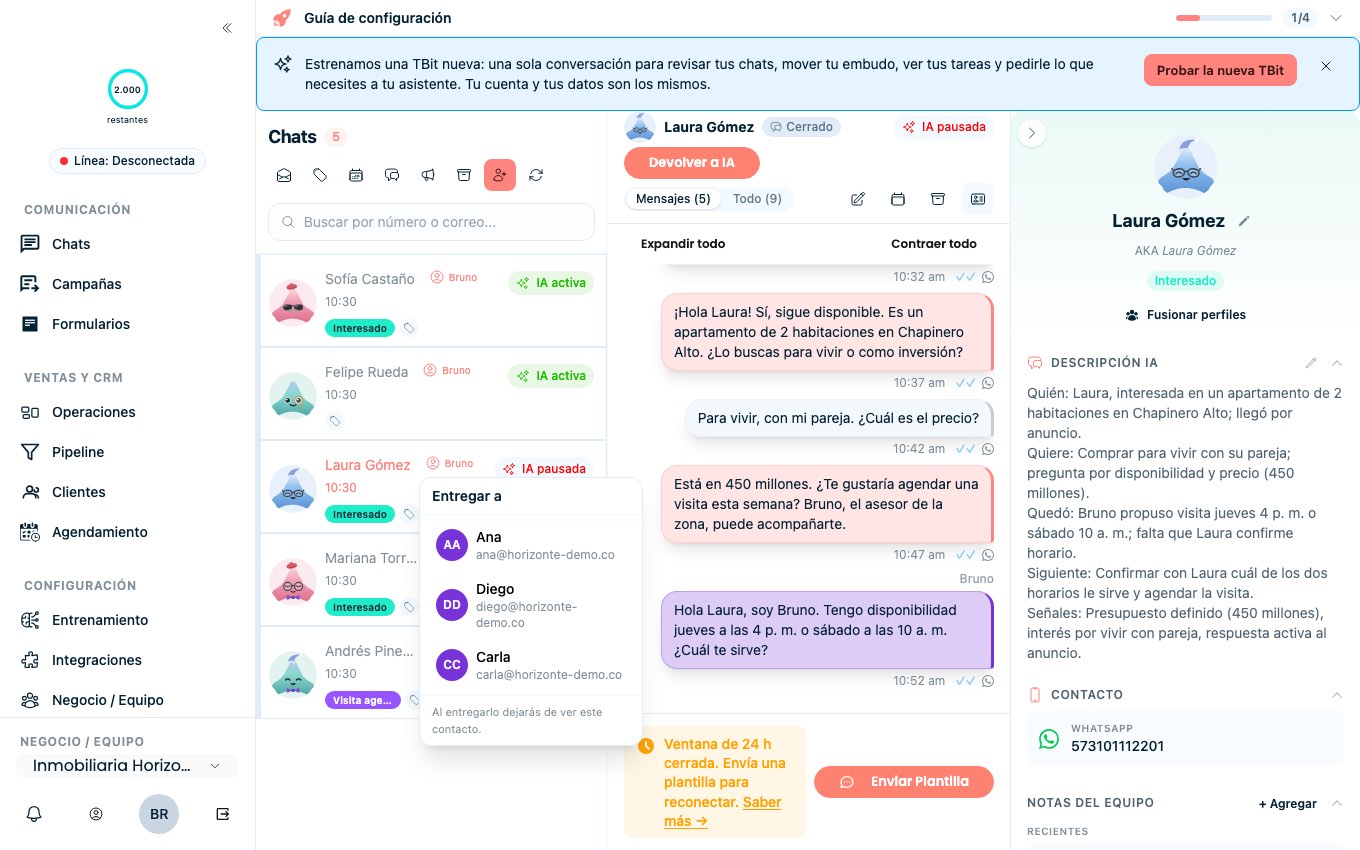
When a customer belongs to someone else — the territory changed, the rep went on vacation, or another person closes the deal — the handoff happens right in the conversation.
Open the chat, click the owner chip and pick "Hand off to…". You get the list of your teammates: choose one and the contact moves to them.
Once you hand it off, you stop seeing that contact. Whoever receives it gets a notification and opens it with everything in place: the full conversation, the customer summary and the team notes. Nothing is left behind and nobody forwards screenshots on the side.
People who see everything — the owner and full admins — assign and reassign without asking anyone.
Private pipelines, for what isn't everyone's
Sometimes the issue isn't the contacts but the whole board: an investor book, a project that isn't announced yet, a special price list.
Go to Pipeline, open Settings, enter Visibility and pick "Private". Choose the people who can get in and save. For everyone else that pipeline simply doesn't exist: it isn't in the tab bar and the link doesn't open it.
Business totals don't change. What gets sold in a private pipeline still counts in the account's numbers.
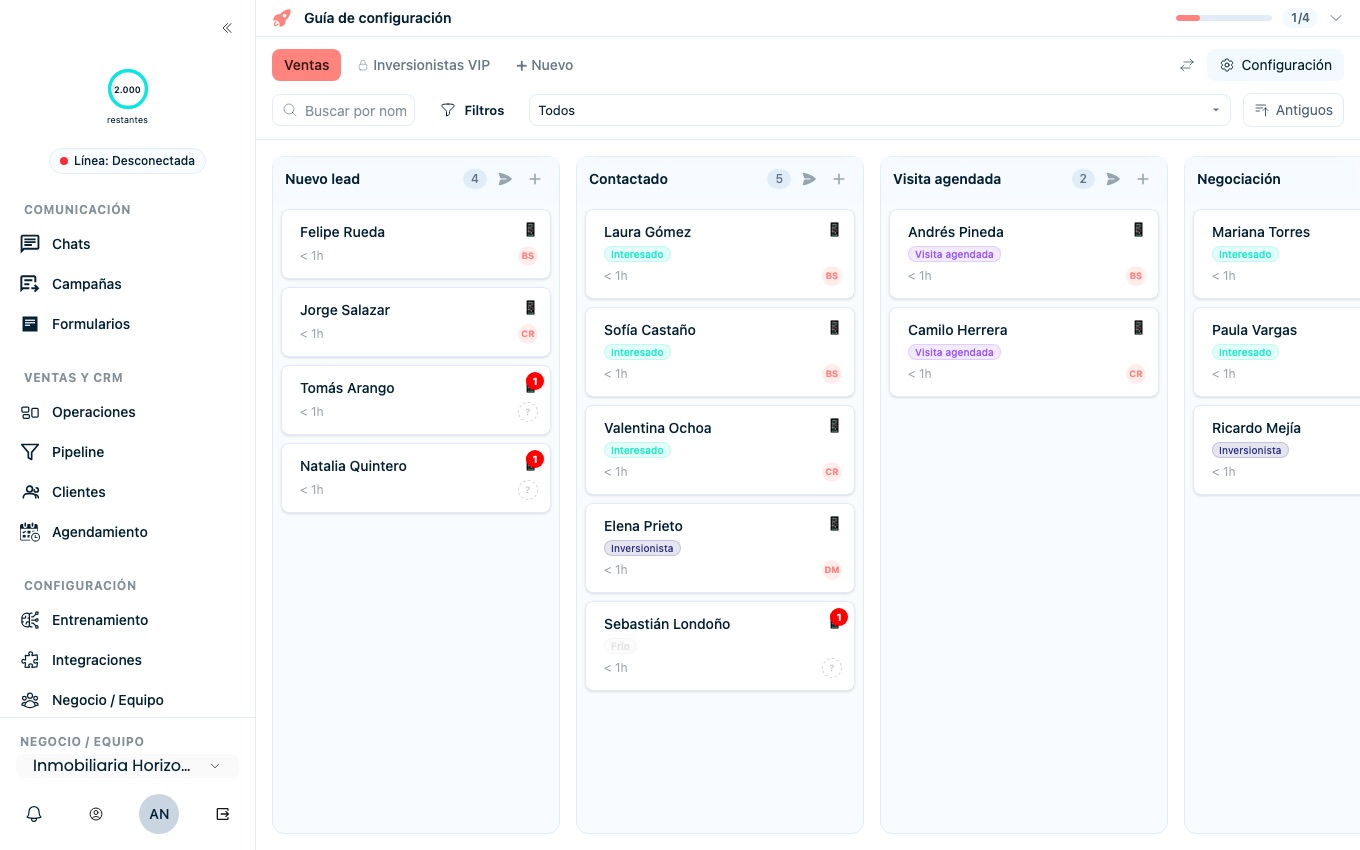
What happens when someone looks for a contact they don't handle
It doesn't show up. Not by typing the name in search, not by pasting the conversation link, not from the mobile app. For that person, the customer isn't in the account.
The one exception exists to avoid duplicates: if a rep creates or imports a phone number a teammate already handles, TBit tells them "Carla already handles this one" and doesn't create a new contact. They see who handles it, so they know whom to talk to, but not the profile or the conversation.
Turn it on today
It's already in your account, at no extra cost and with nothing to migrate. Log in, open a rep's profile and flip the switch. Go to my account. Rather have us set it up with you? Message support
FAQ
- Does it apply in the mobile app too?
- Yes. The rule is the same on the web and in the app, because it doesn't live in the screen but in the server. A rep with ownership opens the app and sees exactly the same contacts as on the computer.
- What about when I ask my TBit in chat?
- Same thing. If a rep asks their TBit for a summary or about a customer, it answers only with their contacts. There is no back door through conversation.
- Can a rep grab a contact that has no owner?
- No. Contacts with no owner are handed out by automatic assignment, or assigned by someone who sees everything. That way nobody keeps the good customers just by getting there first.
- Is the history lost when I hand off a contact?
- No. The history stays with the contact: whoever receives it opens the full conversation, the summary and the team notes. What changes is that the person who handed it off stops seeing it.
- Does anything change if I don't turn it on?
- Nothing. If you don't turn ownership on in any profile, the whole team keeps seeing everything, just like today. It's your call, person by person, and you can turn it off whenever you want.
- Which roles can turn it on?
- The account's primary owner and admins who see every contact. Nobody can change their own scope, not even an admin who already has ownership turned on.
- What if the whole team shares one WhatsApp line?
- It works the same. One line, one chat per customer: the customer never notices a thing. Ownership only decides who on your team sees that chat from the inside.